


- Description
Local WiFi Garage Door Controller | ESP32 | Open Source
The ratgdo32 is a WiFi-enabled control board that connects to your garage door opener and provides complete local control through your smart home system. The ratgdo32 is the upgraded successor to the original ratgdo. The first device ever created to fully interface with Chamberlain/LiftMaster Security+ 2.0 garage door openers. You can add your myQ Garage Door Opener to Apple HomeKit using ratgdo.
Unlike cloud-dependent solutions, the ratgdo32 operates entirely on your local network. There are no subscriptions, no monthly fees, and no data sent to external servers. You own your device, your data stays home, and your garage door responds instantly.
Hardware Specifications
| Specification | Detail |
|---|---|
| Processor | ESP32 (Dual-core Xtensa LX6, 240 MHz) |
| WiFi | 802.11 b/g/n (2.4 GHz) |
| Power Input | USB-C, 5V DC |
| USB-Serial Chip | CH9102 |
| Form Factor | Compact PCB with included mounting holster |
| Connection | 3-wire terminal to garage door opener |
| Operating Environment | Indoor/garage (standard residential temperatures) |
What's in the Box
| Item | Description |
|---|---|
| ratgdo32 Control Board | The main ESP32-based control board |
| 3D Printed Holster | Clips onto your garage door opener's mounting frame or light cover |
| USB-C to USB-A Cable | For power and initial firmware flashing |
| USB-A Power Supply | 5V wall adapter |
| Wire Harness | Pre-terminated JST connector for easy connection to GDO terminals |
Sold Separately:
- Magnetic Baseplate ($9.00) — Alternative mounting option
Supported Garage Door Openers
Security+ 2.0 (Yellow Learn Button)
Full support for most Chamberlain and LiftMaster openers manufactured after 2011. Features include:
- Door open/close/stop control
- Real-time door position (open, closed, opening, closing)
- Light on/off control
- Wireless remote lockout
- Obstruction sensor status
- Motion detection (with compatible wall panel)
Security+ 1.0 (Purple Learn Button)
Full support with a compatible wall control panel (889LM / 041A7928-3MC). Features include:
- Door control and status
- Light control
- Basic obstruction detection
Note: If you don't have an 889LM panel, ratgdo offers an emulation mode, but it may interfere with existing wall control functions.
Dry Contact (Red Learn Button & Other Brands)
Universal support for any garage door or gate opener that accepts dry contact (momentary switch) inputs. Requires:
- Open and close limit switches (built-in or external reed/tilt switches)
- Supports single-button or discrete three-button (open/stop/close) configurations
Compatible Brands: MyQ Chamberlain, LiftMaster, Genie, and most commercial operators with dry contact terminals.
Firmware Options
The ratgdo32 ships without firmware pre-installed. You choose and install the firmware that best fits your smart home setup. All firmware is free and open source.
ESPHome
Best for: Home Assistant, Node-RED, Control4, Crestron, Nice/Elan
- Native Home Assistant integration with auto-discovery
- Full entity support (door, light, lock, obstruction, motion)
- MQTT support for custom integrations
- OTA (over-the-air) updates
- Active community development
HomeKit
Best for: Apple users without a home automation server
- Native Apple HomeKit support—no bridge, hub, or Home Assistant required
- Works with Siri, Apple Home app, and HomeKit automations
- Supports door, light, lock, motion, and obstruction sensors
- Vehicle presence detection (ratgdo32 disco only)
- OTA updates via web interface
MQTT (WiFi Disabled Option)
Best for: Custom setups or dry contact-only use
- Direct MQTT control without ESPHome
- Can disable WiFi entirely for dry contact-only operation
Smart Home Integration
| Platform | Integration Method | Features |
|---|---|---|
| Apple HomeKit | Native firmware | Door, light, lock, motion, obstruction |
| Home Assistant | ESPHome (recommended) or MQTT | Full entity support, automations, dashboards |
| Node-RED | MQTT or ESPHome API | Custom flows and logic |
| Control4 | Chowmain or FiniteLabs drivers | Professional integration |
| Crestron / Nice / Elan | ESPHome | Commercial automation |
| Google Home | Via Home Assistant | Voice control through HA integration |
| Amazon Alexa | Via Home Assistant | Voice control through HA integration |
Functional Capabilities
Door Control
- Open — Command the door to open
- Close — Command the door to close
- Stop — Halt door movement mid-travel
- Position Feedback — Real-time status: Open, Closed, Opening, Closing, Stopped
Light Control
- On/Off commands (Security+ 2.0 and 1.0)
- Discrete on and discrete off (no toggle guessing)
Security Features
- Wireless Lockout — Disable all wireless remotes (wall button still works)
- Obstruction Detection — Monitor safety sensor status
- Motion Detection — Trigger automations when motion is detected (requires compatible wall panel)
Automation Examples
- Close the garage door automatically when you leave home
- Turn on house lights when the garage opens after sunset
- Send a notification if the door is left open for more than 10 minutes
- Lock out wireless remotes when you're on vacation
- Trigger presence detection when your car arrives
Installation
Requirements
- Compatible garage door opener
- 2.4 GHz WiFi network
- USB power outlet (or use the included adapter)
- Computer with Google Chrome (for firmware flashing)
Process
- Flash Firmware — Connect ratgdo32 to your computer via USB-C and use the browser-based installer to flash your chosen firmware (ESPHome or HomeKit)
- Configure WiFi — Enter your WiFi credentials through the setup interface
- Wire to Opener — Connect the 3-wire harness to your garage door opener's terminals (red, white, black)
- Mount — Clip the holster onto your opener's frame or light cover
- Add to Smart Home — Adopt the device into HomeKit or Home Assistant
Time Required: Approximately 15–30 minutes
Soldering: Not required (terminal connections only)
Comparison: ratgdo32 vs. ratgdo32 disco
| Feature | ratgdo32 | ratgdo32 disco |
|---|---|---|
| Price | $84.98 | $94.00 |
| Processor | ESP32 | ESP32 |
| Door Control | ✓ | ✓ |
| Light Control | ✓ | ✓ |
| Lock Control | ✓ | ✓ |
| Obstruction Sensor | ✓ | ✓ |
| Vehicle Detection | ✗ | ✓ |
| Parking Assist Laser | ✗ | ✓ (sold separately) |
| Beeper/Speaker | ✗ | ✓ |
| Battery Input | ✗ | ✓ |
Troubleshooting Tips
| Issue | Solution |
|---|---|
| Can't connect to device | Ensure you have the CH9102 USB driver installed |
| Slow web interface | Move ratgdo32 further from the opener (reduces RF interference) |
| Door status incorrect | Verify wiring matches your opener type; check protocol setting |
| HomeKit pairing fails | Reset device and try pairing again; ensure 2.4 GHz WiFi |
| OTA update fails | Download firmware manually and upload via web interface |
Featured collection
-
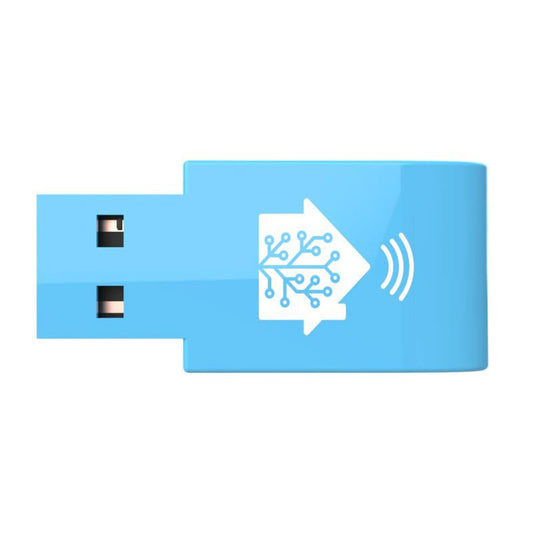
Home Assistant SkyConnect
<div style="font-family: Arial, sans-serif; font-size: 14px; color: #333; line-height: 1.6;"> <h2 style="font-size: 18px; color: #111; border-bottom: 2px solid #ccc; padding-bottom: 6px;">Home Assistant SkyConnect USB Zigbee Hub – Matter, Zigbee & Thread Support</h2> <p>Have an amazing home automation with Home Assistant SkyConnect USB Zigbee hub! It supports Zigbee, Thread and Matter for a greater smart home setup.</p> <p>The Home Assistant SkyConnect hub which is a small and compact USB hub that allows you to add Zigbee, Thread and Matter support to your home automation setup. It allows you to control your smart devices through platforms such as Home Assistant app, Samsung SmartThings, Apple Home/HomeKit, and many more. It also enables voice control through Siri, Alexa, Google Assistant, Bixby and other major voice assistants!</p> <h3 style="font-size: 16px; margin-top: 24px;">Key Features:</h3> <ul style="padding-left: 20px;"> <li> <strong>Compact USB Design:</strong> A small, sleek USB device that can be easily integrated into your existing setup without taking up much space.</li> <li> <strong>Support for Zigbee, Thread, and Matter:</strong> Provides compatibility with a wide range of smart home devices and protocols, enhancing your home automation capabilities.</li> <li> <strong>Seamless Integration:</strong> Works with popular smart home platforms including Home Assistant, Samsung SmartThings, and Apple Home/HomeKit.</li> <li> <strong>Voice Control Compatibility:</strong> Enables voice control through major assistants like Siri, Alexa, Google Assistant, and Bixby.</li> <li> <strong>Easy Setup:</strong> Simple installation process that connects to your home network and integrates with your smart home system.</li> <li> <strong>Enhanced Connectivity:</strong> Ensures stable and reliable communication with connected devices, improving overall smart home performance.</li> <li> <strong>Custom Automation:</strong> Allows you to create and manage custom automation routines for a personalized smart home experience.</li> <li> <strong>Broad Device Compatibility:</strong> Supports a variety of smart home devices from different manufacturers, providing flexibility and scalability for your smart home network.</li> </ul> <h3 style="font-size: 16px; margin-top: 24px;">Specifications:</h3> <table style="width: 100%; border-collapse: collapse; margin-bottom: 20px;"> <thead> <tr> <th style="border: 1px solid #ccc; padding: 8px; background-color: #f9f9f9;">Specification</th> <th style="border: 1px solid #ccc; padding: 8px; background-color: #f9f9f9;">Details</th> </tr> </thead> <tbody> <tr> <td style="border: 1px solid #ccc; padding: 8px;">Model</td> <td style="border: 1px solid #ccc; padding: 8px;">Home Assistant SkyConnect Hub</td> </tr> <tr> <td style="border: 1px solid #ccc; padding: 8px;">Design</td> <td style="border: 1px solid #ccc; padding: 8px;">Compact USB device</td> </tr> <tr> <td style="border: 1px solid #ccc; padding: 8px;">Connectivity</td> <td style="border: 1px solid #ccc; padding: 8px;">Zigbee, Thread, Matter</td> </tr> <tr> <td style="border: 1px solid #ccc; padding: 8px;">Compatibility</td> <td style="border: 1px solid #ccc; padding: 8px;">Home Assistant, Samsung SmartThings, Apple Home/HomeKit, and more</td> </tr> <tr> <td style="border: 1px solid #ccc; padding: 8px;">Voice Control</td> <td style="border: 1px solid #ccc; padding: 8px;">Siri, Alexa, Google Assistant, Bixby</td> </tr> <tr> <td style="border: 1px solid #ccc; padding: 8px;">Power</td> <td style="border: 1px solid #ccc; padding: 8px;">Powered via USB</td> </tr> <tr> <td style="border: 1px solid #ccc; padding: 8px;">Dimensions</td> <td style="border: 1px solid #ccc; padding: 8px;">Approximately 1.5 x 0.7 x 0.5 inches (38 x 18 x 13 mm)</td> </tr> <tr> <td style="border: 1px solid #ccc; padding: 8px;">Weight</td> <td style="border: 1px solid #ccc; padding: 8px;">Approximately 1.2 oz (34 g)</td> </tr> <tr> <td style="border: 1px solid #ccc; padding: 8px;">Connectivity Ports</td> <td style="border: 1px solid #ccc; padding: 8px;">USB</td> </tr> <tr> <td style="border: 1px solid #ccc; padding: 8px;">Setup Requirements</td> <td style="border: 1px solid #ccc; padding: 8px;">Compatible with devices running Home Assistant, or a compatible smart home platform</td> </tr> </tbody> </table> <h3 style="font-size: 16px; margin-top: 24px;">Installation Steps:</h3> <ul style="padding-left: 20px;"> <li> <strong>Connect to Power:</strong> Plug the Home Assistant SkyConnect Hub into a USB port on your computer or a USB power adapter connected to an electrical outlet.</li> <li> <strong>Download the App:</strong> Install the Home Assistant app from the Google Play Store or Apple App Store on your smartphone or tablet.</li> <li> <strong>Create/Log In Account:</strong> Open the Home Assistant app and either create a new account or log in to your existing Home Assistant account.</li> <li> <strong>Add the Hub:</strong> In the Home Assistant app, tap “+” to add a new device, select “SkyConnect Hub,” and follow the on-screen instructions for setup.</li> <li> <strong>Connect to Network:</strong> Follow the app instructions to connect the hub to your Wi-Fi network or smart home network.</li> <li> <strong>Pair Devices:</strong> Use the app to pair compatible Zigbee, Thread, and Matter devices with the hub. Follow specific pairing instructions for each device.</li> <li> <strong>Set Up Automations:</strong> Create and configure automation routines and scenarios in the Home Assistant app to customize your smart home experience.</li> <li> <strong>Test and Adjust:</strong> Test the connected devices and automations to ensure they work correctly. Adjust settings as needed through the app.</li> </ul> <h3 style="font-size: 16px; margin-top: 24px;">Why Choose Home Assistant SkyConnect Hub:</h3> <p>The Home Assistant SkyConnect Hub is an essential addition to your smart home setup, as it offers Zigbee, Thread and Matter support for versatile device compatibility. It is a small compact USB design which ensures seamless integration into any setup. The broad platform support provided by the hub working with major platforms such as Home Assistant, Samsung SmartThings, Apple Home/HomeKit, etc. and allowing voice control through Siri, Alexa, Google Assistant, Bixby, etc. With its easy and quick setup with reliable performance, the Home Assistant SkyConnect Matter Zigbee hub enhances your smart home experience with its custom automation capabilities!</p> </div>
SaleHome Assistant SkyConnect
Regular price $79.99 USDRegular priceUnit price per$105.58 USDSale price $79.99 USDSale -
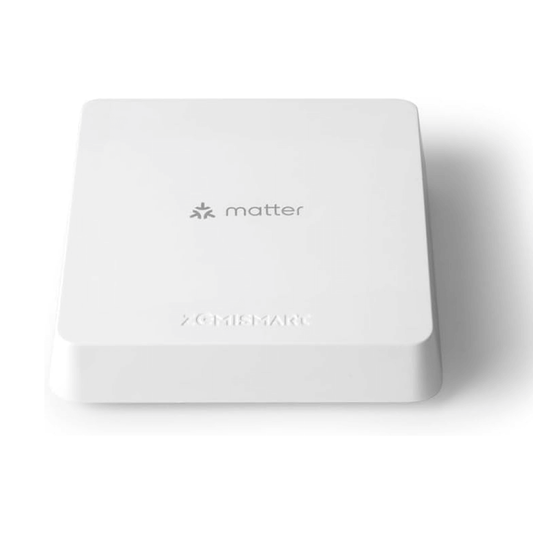
Zemismart Matter Smart Home Hub, Thread & Tuya Zigbee 3.0
<h1 data-local-id="15858ab1fc98" data-prosemirror-content-type="node" data-prosemirror-node-name="heading" data-prosemirror-node-block="true" data-pm-slice="1 3 []"><strong>Zemismart Matter Smart Home Hub, Thread & Tuya Zigbee 3.0</strong></h1> <h2 data-local-id="9b3393f5c142" data-prosemirror-content-type="node" data-prosemirror-node-name="heading" data-prosemirror-node-block="true"><strong>Why Zemismart Matter Smart Home Hub?</strong></h2> <p data-local-id="975630e485dc" data-prosemirror-content-type="node" data-prosemirror-node-name="paragraph" data-prosemirror-node-block="true">Modern smart homes often combine Matter, Thread, Zigbee, and Tuya devices across multiple ecosystems. Zemismart Matter Smart Home Hub is designed to bring them together through one central hub.</p> <p data-local-id="4a2ad1e5118c" data-prosemirror-content-type="node" data-prosemirror-node-name="paragraph" data-prosemirror-node-block="true">Zemismart Matter Smart Home Hub allows users to manage compatible devices, automate routines, and build a more connected smart home using multiple wireless standards.</p> <hr data-local-id="b9203d5b-557b-49b1-9b01-959d8ed3af0d" data-prosemirror-content-type="node" data-prosemirror-node-name="rule" data-prosemirror-node-block="true"> <h2 data-local-id="99241f0b46e6" data-prosemirror-content-type="node" data-prosemirror-node-name="heading" data-prosemirror-node-block="true"><strong>KEY TAKEAWAYS</strong></h2> <ul class="ak-ul" data-local-id="323b6b26-d937-4fbb-812c-58319e7e57bd" data-prosemirror-content-type="node" data-prosemirror-node-name="bulletList" data-prosemirror-node-block="true"> <li data-local-id="271f03c1-cebf-4ac6-9a37-b7fa062c0a36" data-prosemirror-content-type="node" data-prosemirror-node-name="listItem" data-prosemirror-node-block="true"> <p data-local-id="020aeeb3b661" data-prosemirror-content-type="node" data-prosemirror-node-name="paragraph" data-prosemirror-node-block="true">Multi-protocol smart home hub.</p> </li> <li data-local-id="24dbf093-6db3-4279-9443-93f385ab2adf" data-prosemirror-content-type="node" data-prosemirror-node-name="listItem" data-prosemirror-node-block="true"> <p data-local-id="b56298e10fae" data-prosemirror-content-type="node" data-prosemirror-node-name="paragraph" data-prosemirror-node-block="true">Supports Matter, Thread, and Zigbee 3.0.</p> </li> <li data-local-id="2a4ba166-2091-4615-ad6d-635f33ca1b6d" data-prosemirror-content-type="node" data-prosemirror-node-name="listItem" data-prosemirror-node-block="true"> <p data-local-id="67be1fb3c42e" data-prosemirror-content-type="node" data-prosemirror-node-name="paragraph" data-prosemirror-node-block="true">Compatible with Tuya smart home devices.</p> </li> <li data-local-id="75ba3539-f9aa-4087-a88a-9f60ef37c295" data-prosemirror-content-type="node" data-prosemirror-node-name="listItem" data-prosemirror-node-block="true"> <p data-local-id="25a34a1a9e5b" data-prosemirror-content-type="node" data-prosemirror-node-name="paragraph" data-prosemirror-node-block="true">Centralized automation control.</p> </li> <li data-local-id="d71bd24a-1f36-41ce-adaa-e6d2d8b1f83b" data-prosemirror-content-type="node" data-prosemirror-node-name="listItem" data-prosemirror-node-block="true"> <p data-local-id="f16e90a76592" data-prosemirror-content-type="node" data-prosemirror-node-name="paragraph" data-prosemirror-node-block="true">Designed for connected smart homes.</p> </li> </ul> <hr data-local-id="0046c15f-3bfa-497f-be6b-b03a65b486f4" data-prosemirror-content-type="node" data-prosemirror-node-name="rule" data-prosemirror-node-block="true"> <h2 data-local-id="afa915d6b05f" data-prosemirror-content-type="node" data-prosemirror-node-name="heading" data-prosemirror-node-block="true"><strong>TECHNICAL SPECIFICATIONS</strong></h2> <div class="tableView-content-wrap" data-prosemirror-initial-todom-render="true" data-prosemirror-content-type="node" data-prosemirror-node-name="table" data-prosemirror-node-block="true"> <div data-testid="table-alignment-container"> <div class="pm-table-resizer-container"> <div class="resizer-item display-handle"> <div class="pm-table-container" data-number-column="false" data-layout="default" data-testid="table-container"> <div class="pm-table-wrapper"> <table data-number-column="false" data-layout="default" data-autosize="false" data-table-local-id="0fea857e-687d-4805-bd72-3d66a87788ec" data-ssr-placeholder="table-0fea857e-687d-4805-bd72-3d66a87788ec" data-ssr-placeholder-replace="table-0fea857e-687d-4805-bd72-3d66a87788ec"> <colgroup> <col> <col> </colgroup> <tbody> <tr data-local-id="c1ea1422-b33f-4f39-9c1d-d4ae045369e3" data-prosemirror-content-type="node" data-prosemirror-node-name="tableRow" data-prosemirror-node-block="true"> <th class="pm-table-header-content-wrap" data-local-id="34b8a637-8918-4f7e-a95b-a844bbc26a74" data-prosemirror-content-type="node" data-prosemirror-node-name="tableHeader" data-prosemirror-node-block="true"> <p data-local-id="f96d82bed597" data-prosemirror-content-type="node" data-prosemirror-node-name="paragraph" data-prosemirror-node-block="true"><strong>Specification</strong></p> </th> <th class="pm-table-header-content-wrap" data-local-id="876429df-3210-45b7-9d4f-db9f0a1927c7" data-prosemirror-content-type="node" data-prosemirror-node-name="tableHeader" data-prosemirror-node-block="true"> <p data-local-id="0fa8e8ae29d9" data-prosemirror-content-type="node" data-prosemirror-node-name="paragraph" data-prosemirror-node-block="true"><strong>Value</strong></p> </th> </tr> <tr data-local-id="3e68c188-4163-4c1e-8f3b-68e0e5062a54" data-prosemirror-content-type="node" data-prosemirror-node-name="tableRow" data-prosemirror-node-block="true"> <td class="pm-table-cell-content-wrap" data-local-id="ff866977-3356-4c2c-8797-b83718b31cda" data-prosemirror-content-type="node" data-prosemirror-node-name="tableCell" data-prosemirror-node-block="true"> <p data-local-id="f4088385bcc3" data-prosemirror-content-type="node" data-prosemirror-node-name="paragraph" data-prosemirror-node-block="true">Product Name</p> </td> <td class="pm-table-cell-content-wrap" data-local-id="b3f82073-a91f-4f09-a7ec-6c1a65175c6d" data-prosemirror-content-type="node" data-prosemirror-node-name="tableCell" data-prosemirror-node-block="true"> <p data-local-id="bcf2e32e815a" data-prosemirror-content-type="node" data-prosemirror-node-name="paragraph" data-prosemirror-node-block="true">Zemismart Matter Smart Home Hub</p> </td> </tr> <tr data-local-id="2fe8c560-e2db-43d6-a196-e06876a18f4b" data-prosemirror-content-type="node" data-prosemirror-node-name="tableRow" data-prosemirror-node-block="true"> <td class="pm-table-cell-content-wrap" data-local-id="d648c2b0-c1e8-4dc6-931e-87f43e875d5e" data-prosemirror-content-type="node" data-prosemirror-node-name="tableCell" data-prosemirror-node-block="true"> <p data-local-id="842dc2c33944" data-prosemirror-content-type="node" data-prosemirror-node-name="paragraph" data-prosemirror-node-block="true">Category</p> </td> <td class="pm-table-cell-content-wrap" data-local-id="a1d869bd-6c2a-4982-bde1-4deeeeda38ae" data-prosemirror-content-type="node" data-prosemirror-node-name="tableCell" data-prosemirror-node-block="true"> <p data-local-id="903f854ec188" data-prosemirror-content-type="node" data-prosemirror-node-name="paragraph" data-prosemirror-node-block="true">Smart Home Hub</p> </td> </tr> <tr data-local-id="e69cf890-850f-414b-a954-49ebfecd3533" data-prosemirror-content-type="node" data-prosemirror-node-name="tableRow" data-prosemirror-node-block="true"> <td class="pm-table-cell-content-wrap" data-local-id="3a4999dc-1618-4cda-918d-5191ca19549d" data-prosemirror-content-type="node" data-prosemirror-node-name="tableCell" data-prosemirror-node-block="true"> <p data-local-id="4de5a99eefa9" data-prosemirror-content-type="node" data-prosemirror-node-name="paragraph" data-prosemirror-node-block="true">Protocol Support</p> </td> <td class="pm-table-cell-content-wrap" data-local-id="22732e96-7c37-4e25-a2b6-be3d0a00f899" data-prosemirror-content-type="node" data-prosemirror-node-name="tableCell" data-prosemirror-node-block="true"> <p data-local-id="311b395dc0db" data-prosemirror-content-type="node" data-prosemirror-node-name="paragraph" data-prosemirror-node-block="true">Matter, Thread, Zigbee 3.0</p> </td> </tr> <tr data-local-id="dd263646-a987-4e9d-ae3a-617a9f61289b" data-prosemirror-content-type="node" data-prosemirror-node-name="tableRow" data-prosemirror-node-block="true"> <td class="pm-table-cell-content-wrap" data-local-id="60fe21ff-fe9c-43cf-814a-7e0f6359aace" data-prosemirror-content-type="node" data-prosemirror-node-name="tableCell" data-prosemirror-node-block="true"> <p data-local-id="af245f3273b4" data-prosemirror-content-type="node" data-prosemirror-node-name="paragraph" data-prosemirror-node-block="true">Platform Support</p> </td> <td class="pm-table-cell-content-wrap" data-local-id="84657012-7140-4a63-ba88-ec54ebd61490" data-prosemirror-content-type="node" data-prosemirror-node-name="tableCell" data-prosemirror-node-block="true"> <p data-local-id="e456d765da24" data-prosemirror-content-type="node" data-prosemirror-node-name="paragraph" data-prosemirror-node-block="true">Tuya</p> </td> </tr> <tr data-local-id="76e44ca7-cc33-4bbd-8a97-d2027f68f41d" data-prosemirror-content-type="node" data-prosemirror-node-name="tableRow" data-prosemirror-node-block="true"> <td class="pm-table-cell-content-wrap" data-local-id="6fc071a7-6d84-4108-8c13-bace6ac40754" data-prosemirror-content-type="node" data-prosemirror-node-name="tableCell" data-prosemirror-node-block="true"> <p data-local-id="9b7456b2f567" data-prosemirror-content-type="node" data-prosemirror-node-name="paragraph" data-prosemirror-node-block="true">Connectivity</p> </td> <td class="pm-table-cell-content-wrap" data-local-id="3290bd5b-d986-4bb8-8538-b6be0e533154" data-prosemirror-content-type="node" data-prosemirror-node-name="tableCell" data-prosemirror-node-block="true"> <p data-local-id="72d2eeb1c50f" data-prosemirror-content-type="node" data-prosemirror-node-name="paragraph" data-prosemirror-node-block="true">Wi-Fi</p> </td> </tr> <tr data-local-id="b3c56596-c40e-4398-b4c3-4127026b48d7" data-prosemirror-content-type="node" data-prosemirror-node-name="tableRow" data-prosemirror-node-block="true"> <td class="pm-table-cell-content-wrap" data-local-id="fbb3b315-465a-44d5-804c-b7f378315559" data-prosemirror-content-type="node" data-prosemirror-node-name="tableCell" data-prosemirror-node-block="true"> <p data-local-id="6a11fec16909" data-prosemirror-content-type="node" data-prosemirror-node-name="paragraph" data-prosemirror-node-block="true">Power Source</p> </td> <td class="pm-table-cell-content-wrap" data-local-id="ca258902-697e-4835-8b90-4b1bee44db2f" data-prosemirror-content-type="node" data-prosemirror-node-name="tableCell" data-prosemirror-node-block="true"> <p data-local-id="4c01ed1458ec" data-prosemirror-content-type="node" data-prosemirror-node-name="paragraph" data-prosemirror-node-block="true">USB powered</p> </td> </tr> </tbody> </table> </div> <div class="pm-table-sticky-sentinel-bottom" data-testid="sticky-sentinel-bottom"><br></div> </div> </div> </div> </div> </div> <hr data-local-id="cc7b1661-53d3-42d0-88c4-606b5c43a00f" data-prosemirror-content-type="node" data-prosemirror-node-name="rule" data-prosemirror-node-block="true"> <h2 data-local-id="cfa6f10a4341" data-prosemirror-content-type="node" data-prosemirror-node-name="heading" data-prosemirror-node-block="true"><strong>COMPATIBILITY</strong></h2> <p data-local-id="64c5fbffcd4e" data-prosemirror-content-type="node" data-prosemirror-node-name="paragraph" data-prosemirror-node-block="true">Zemismart Matter Smart Home Hub works with:</p> <ul class="ak-ul" data-local-id="c3329590-d782-4d92-8cfe-68fd4eab323d" data-prosemirror-content-type="node" data-prosemirror-node-name="bulletList" data-prosemirror-node-block="true"> <li data-local-id="d8b659ec-0483-48b5-b433-3b8f0601981f" data-prosemirror-content-type="node" data-prosemirror-node-name="listItem" data-prosemirror-node-block="true"> <p data-local-id="98871c371690" data-prosemirror-content-type="node" data-prosemirror-node-name="paragraph" data-prosemirror-node-block="true">Matter-compatible devices</p> </li> <li data-local-id="aa917b1c-e660-442b-a14f-f30b75a71161" data-prosemirror-content-type="node" data-prosemirror-node-name="listItem" data-prosemirror-node-block="true"> <p data-local-id="e35a543b55a7" data-prosemirror-content-type="node" data-prosemirror-node-name="paragraph" data-prosemirror-node-block="true">Thread devices</p> </li> <li data-local-id="24ed8ea4-58f6-4827-8cbf-a66c8153523f" data-prosemirror-content-type="node" data-prosemirror-node-name="listItem" data-prosemirror-node-block="true"> <p data-local-id="c37bdf216432" data-prosemirror-content-type="node" data-prosemirror-node-name="paragraph" data-prosemirror-node-block="true">Zigbee 3.0 devices</p> </li> <li data-local-id="e11cdeab-89ff-4cf6-a8d0-dd5f8a245176" data-prosemirror-content-type="node" data-prosemirror-node-name="listItem" data-prosemirror-node-block="true"> <p data-local-id="3f589a300a87" data-prosemirror-content-type="node" data-prosemirror-node-name="paragraph" data-prosemirror-node-block="true">Tuya smart devices</p> </li> <li data-local-id="42eb3afe-6899-49a1-9291-d29f9ee3a399" data-prosemirror-content-type="node" data-prosemirror-node-name="listItem" data-prosemirror-node-block="true"> <p data-local-id="7dfbe3dc6b46" data-prosemirror-content-type="node" data-prosemirror-node-name="paragraph" data-prosemirror-node-block="true">Smart home automations</p> </li> </ul> <hr data-local-id="7457ad33-6402-4caa-b032-8cebe8f4ea12" data-prosemirror-content-type="node" data-prosemirror-node-name="rule" data-prosemirror-node-block="true"> <h2 data-local-id="48d65e24f916" data-prosemirror-content-type="node" data-prosemirror-node-name="heading" data-prosemirror-node-block="true"><strong>TROUBLESHOOTING TABLE</strong></h2> <div class="tableView-content-wrap" data-prosemirror-initial-todom-render="true" data-prosemirror-content-type="node" data-prosemirror-node-name="table" data-prosemirror-node-block="true"> <div data-testid="table-alignment-container"> <div class="pm-table-resizer-container"> <div class="resizer-item display-handle"> <div class="pm-table-container" data-number-column="false" data-layout="default" data-testid="table-container"> <div class="pm-table-wrapper"> <table data-number-column="false" data-layout="default" data-autosize="false" data-table-local-id="fdcb8632-7b2b-4351-be72-82663ca285c0" data-ssr-placeholder="table-fdcb8632-7b2b-4351-be72-82663ca285c0" data-ssr-placeholder-replace="table-fdcb8632-7b2b-4351-be72-82663ca285c0"> <colgroup> <col> <col> <col> </colgroup> <tbody> <tr data-local-id="1250e280-4c28-49ee-860f-4885e050983f" data-prosemirror-content-type="node" data-prosemirror-node-name="tableRow" data-prosemirror-node-block="true"> <th class="pm-table-header-content-wrap" data-local-id="a4c0ba9c-3ab0-4bc7-a86b-8d1582d85e68" data-prosemirror-content-type="node" data-prosemirror-node-name="tableHeader" data-prosemirror-node-block="true"> <p data-local-id="9f5cdbf06527" data-prosemirror-content-type="node" data-prosemirror-node-name="paragraph" data-prosemirror-node-block="true"><strong>Problem</strong></p> </th> <th class="pm-table-header-content-wrap" data-local-id="d0999de5-1094-48ee-9dba-d3c0c25910bf" data-prosemirror-content-type="node" data-prosemirror-node-name="tableHeader" data-prosemirror-node-block="true"> <p data-local-id="6ce122f1f99f" data-prosemirror-content-type="node" data-prosemirror-node-name="paragraph" data-prosemirror-node-block="true"><strong>Cause</strong></p> </th> <th class="pm-table-header-content-wrap" data-local-id="e9fa413e-3dab-4654-874f-dcefd98e065c" data-prosemirror-content-type="node" data-prosemirror-node-name="tableHeader" data-prosemirror-node-block="true"> <p data-local-id="352b15871e88" data-prosemirror-content-type="node" data-prosemirror-node-name="paragraph" data-prosemirror-node-block="true"><strong>Fix</strong></p> </th> </tr> <tr data-local-id="0fa0be72-f237-4d3f-bece-f88639d29919" data-prosemirror-content-type="node" data-prosemirror-node-name="tableRow" data-prosemirror-node-block="true"> <td class="pm-table-cell-content-wrap" data-local-id="46fa6e7b-0bc5-44cc-9f7d-710ac340a3b8" data-prosemirror-content-type="node" data-prosemirror-node-name="tableCell" data-prosemirror-node-block="true"> <p data-local-id="353928f8e8ab" data-prosemirror-content-type="node" data-prosemirror-node-name="paragraph" data-prosemirror-node-block="true">Hub not responding</p> </td> <td class="pm-table-cell-content-wrap" data-local-id="c6845c3f-b95a-46df-b4b8-2f8ac7db49a6" data-prosemirror-content-type="node" data-prosemirror-node-name="tableCell" data-prosemirror-node-block="true"> <p data-local-id="33e69d371285" data-prosemirror-content-type="node" data-prosemirror-node-name="paragraph" data-prosemirror-node-block="true">Power issue</p> </td> <td class="pm-table-cell-content-wrap" data-local-id="cf0b2878-affd-4424-b294-d8a505f38d4b" data-prosemirror-content-type="node" data-prosemirror-node-name="tableCell" data-prosemirror-node-block="true"> <p data-local-id="db637aa3dd1b" data-prosemirror-content-type="node" data-prosemirror-node-name="paragraph" data-prosemirror-node-block="true">Verify power connection</p> </td> </tr> <tr data-local-id="d02e52ce-4945-446f-ab15-4bd7977ca6a8" data-prosemirror-content-type="node" data-prosemirror-node-name="tableRow" data-prosemirror-node-block="true"> <td class="pm-table-cell-content-wrap" data-local-id="0a1be370-b06e-4d68-91ad-c9362045d727" data-prosemirror-content-type="node" data-prosemirror-node-name="tableCell" data-prosemirror-node-block="true"> <p data-local-id="bea64ba303a7" data-prosemirror-content-type="node" data-prosemirror-node-name="paragraph" data-prosemirror-node-block="true">Device not pairing</p> </td> <td class="pm-table-cell-content-wrap" data-local-id="4d6d5564-8e74-4316-a993-1c34e38ebffe" data-prosemirror-content-type="node" data-prosemirror-node-name="tableCell" data-prosemirror-node-block="true"> <p data-local-id="2b935b81901e" data-prosemirror-content-type="node" data-prosemirror-node-name="paragraph" data-prosemirror-node-block="true">Unsupported device</p> </td> <td class="pm-table-cell-content-wrap" data-local-id="c50f32ff-785e-4af1-b28b-d98953e5b79f" data-prosemirror-content-type="node" data-prosemirror-node-name="tableCell" data-prosemirror-node-block="true"> <p data-local-id="8c7d75054607" data-prosemirror-content-type="node" data-prosemirror-node-name="paragraph" data-prosemirror-node-block="true">Check compatibility</p> </td> </tr> <tr data-local-id="4228a555-4896-4efc-846e-ad6460b15f39" data-prosemirror-content-type="node" data-prosemirror-node-name="tableRow" data-prosemirror-node-block="true"> <td class="pm-table-cell-content-wrap" data-local-id="0d3c4c20-b302-4f4d-8153-946830fdcd56" data-prosemirror-content-type="node" data-prosemirror-node-name="tableCell" data-prosemirror-node-block="true"> <p data-local-id="6781796d0f89" data-prosemirror-content-type="node" data-prosemirror-node-name="paragraph" data-prosemirror-node-block="true">Network offline</p> </td> <td class="pm-table-cell-content-wrap" data-local-id="66640536-1ac7-4c2f-97a5-c478182c8cc5" data-prosemirror-content-type="node" data-prosemirror-node-name="tableCell" data-prosemirror-node-block="true"> <p data-local-id="f09927e2e2f8" data-prosemirror-content-type="node" data-prosemirror-node-name="paragraph" data-prosemirror-node-block="true">Wi-Fi issue</p> </td> <td class="pm-table-cell-content-wrap" data-local-id="c887be01-6b2d-4e2a-a601-156fcf707af4" data-prosemirror-content-type="node" data-prosemirror-node-name="tableCell" data-prosemirror-node-block="true"> <p data-local-id="186b6a3c028a" data-prosemirror-content-type="node" data-prosemirror-node-name="paragraph" data-prosemirror-node-block="true">Reconnect hub to network</p> </td> </tr> </tbody> </table> </div> <div class="pm-table-sticky-sentinel-bottom" data-testid="sticky-sentinel-bottom"><br></div> </div> </div> </div> </div> </div> <hr data-local-id="cb198b22-fffb-48cc-abcf-a3e970eb9902" data-prosemirror-content-type="node" data-prosemirror-node-name="rule" data-prosemirror-node-block="true"> <h2 data-local-id="2217dd0b0c6f" data-prosemirror-content-type="node" data-prosemirror-node-name="heading" data-prosemirror-node-block="true"><strong>Q&A / FAQ SECTION</strong></h2> <h3 data-local-id="a8db7d0768a2" data-prosemirror-content-type="node" data-prosemirror-node-name="heading" data-prosemirror-node-block="true"><strong>What is Zemismart Matter Smart Home Hub?</strong></h3> <p data-local-id="ffff9a1d8b78" data-prosemirror-content-type="node" data-prosemirror-node-name="paragraph" data-prosemirror-node-block="true">Zemismart Matter Smart Home Hub is a multi-protocol hub designed to manage Matter, Thread, Zigbee 3.0, and Tuya smart devices.</p> <h3 data-local-id="a96fc85e84d2" data-prosemirror-content-type="node" data-prosemirror-node-name="heading" data-prosemirror-node-block="true"><strong>Who should buy Zemismart Matter Smart Home Hub?</strong></h3> <p data-local-id="618502e7a620" data-prosemirror-content-type="node" data-prosemirror-node-name="paragraph" data-prosemirror-node-block="true">Zemismart Matter Smart Home Hub is designed for users wanting centralized control across multiple smart home protocols.</p> <h3 data-local-id="7c9830923931" data-prosemirror-content-type="node" data-prosemirror-node-name="heading" data-prosemirror-node-block="true"><strong>How does Zemismart Matter Smart Home Hub work?</strong></h3> <p data-local-id="f8c9677d16e7" data-prosemirror-content-type="node" data-prosemirror-node-name="paragraph" data-prosemirror-node-block="true">Zemismart Matter Smart Home Hub connects compatible devices and manages them through one smart home platform.</p> <h3 data-local-id="d4fa84de93ab" data-prosemirror-content-type="node" data-prosemirror-node-name="heading" data-prosemirror-node-block="true"><strong>What's included with Zemismart Matter Smart Home Hub?</strong></h3> <p data-local-id="5a9868ebe3e3" data-prosemirror-content-type="node" data-prosemirror-node-name="paragraph" data-prosemirror-node-block="true">Zemismart Matter Smart Home Hub includes the hub, power cable, and setup documentation.</p> <h3 data-local-id="d79fe8080fb1" data-prosemirror-content-type="node" data-prosemirror-node-name="heading" data-prosemirror-node-block="true"><strong>What are the Zemismart Matter Smart Home Hub specifications?</strong></h3> <p data-local-id="6d2562d3215d" data-prosemirror-content-type="node" data-prosemirror-node-name="paragraph" data-prosemirror-node-block="true">Zemismart Matter Smart Home Hub supports Matter, Thread, Zigbee 3.0, Tuya integration, and Wi-Fi connectivity.</p> <hr data-local-id="44e96995-da06-408f-9f08-597f590283b3" data-prosemirror-content-type="node" data-prosemirror-node-name="rule" data-prosemirror-node-block="true"> <h2 data-local-id="5e17f4bf1e96" data-prosemirror-content-type="node" data-prosemirror-node-name="heading" data-prosemirror-node-block="true"><strong>Why Buy Zemismart Matter Smart Home Hub?</strong></h2> <ul class="ak-ul" data-local-id="c25a825f-bae4-4a4e-a29d-8d2e34abd6f7" data-prosemirror-content-type="node" data-prosemirror-node-name="bulletList" data-prosemirror-node-block="true"> <li data-local-id="72c0580c-7a53-4a84-b716-2b553db1fa0a" data-prosemirror-content-type="node" data-prosemirror-node-name="listItem" data-prosemirror-node-block="true"> <p data-local-id="7e77ab7c647f" data-prosemirror-content-type="node" data-prosemirror-node-name="paragraph" data-prosemirror-node-block="true">Supports multiple smart home protocols.</p> </li> <li data-local-id="10f21f69-f77a-4d46-b836-687c57aa9130" data-prosemirror-content-type="node" data-prosemirror-node-name="listItem" data-prosemirror-node-block="true"> <p data-local-id="930076e6d674" data-prosemirror-content-type="node" data-prosemirror-node-name="paragraph" data-prosemirror-node-block="true">Centralized device management.</p> </li> <li data-local-id="ecfe4d82-9604-4a61-9f42-80382df117ae" data-prosemirror-content-type="node" data-prosemirror-node-name="listItem" data-prosemirror-node-block="true"> <p data-local-id="1a751081bf21" data-prosemirror-content-type="node" data-prosemirror-node-name="paragraph" data-prosemirror-node-block="true">Broad smart home compatibility.</p> </li> <li data-local-id="f5177851-a943-4405-9523-b1225dc6e7a5" data-prosemirror-content-type="node" data-prosemirror-node-name="listItem" data-prosemirror-node-block="true"> <p data-local-id="d713cadf708e" data-prosemirror-content-type="node" data-prosemirror-node-name="paragraph" data-prosemirror-node-block="true">Automation support.</p> </li> </ul>
Zemismart Matter Smart Home Hub, Thread & Tuya Zigbee 3.0
Regular price $68.75 USDRegular priceUnit price per -
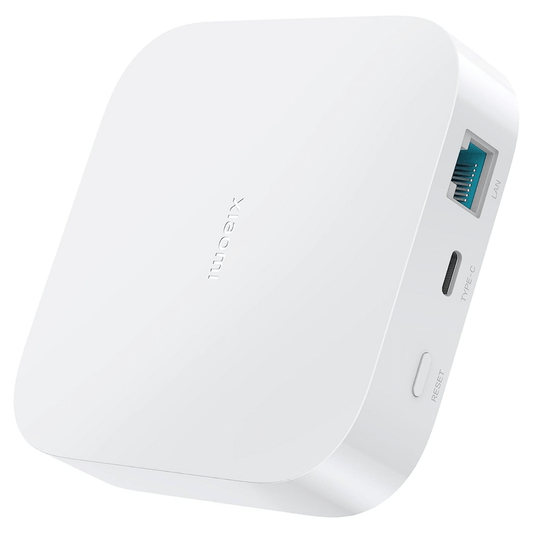
Xiaomi Smart Home Hub 2 - Matter Support
<h1 data-local-id="5d8694ecca29" data-prosemirror-content-type="node" data-prosemirror-node-name="heading" data-prosemirror-node-block="true" data-pm-slice="1 3 []"><strong>Xiaomi Smart Home Hub 2</strong></h1> <h2 data-local-id="42620530207b" data-prosemirror-content-type="node" data-prosemirror-node-name="heading" data-prosemirror-node-block="true"><strong>Why is Xiaomi Smart Home Hub 2?</strong></h2> <p data-local-id="da686821720e" data-prosemirror-content-type="node" data-prosemirror-node-name="paragraph" data-prosemirror-node-block="true">Traditional smart home systems often require separate hubs for different wireless protocols. Xiaomi Smart Home Hub 2 simplifies smart home management by combining Matter, Zigbee, and Bluetooth Mesh connectivity into a single smart home hub. Xiaomi Smart Home Hub 2 helps centralize device management while improving automation reliability across compatible ecosystems.</p> <p data-local-id="495011257080" data-prosemirror-content-type="node" data-prosemirror-node-name="paragraph" data-prosemirror-node-block="true">With support for Xiaomi Home and Matter-enabled platforms, Xiaomi Smart Home Hub 2 integrates naturally into modern smart home environments.</p> <hr data-local-id="cb075c47-f777-461b-a48d-59c108979302" data-prosemirror-content-type="node" data-prosemirror-node-name="rule" data-prosemirror-node-block="true"> <h2 data-local-id="43bba0dee90c" data-prosemirror-content-type="node" data-prosemirror-node-name="heading" data-prosemirror-node-block="true"><br></h2> <h2 data-local-id="43bba0dee90c" data-prosemirror-content-type="node" data-prosemirror-node-name="heading" data-prosemirror-node-block="true"><strong>KEY TAKEAWAYS</strong></h2> <ul class="ak-ul" data-local-id="8cf057a5-0a00-4a8a-8e45-ee097ae4b55f" data-prosemirror-content-type="node" data-prosemirror-node-name="bulletList" data-prosemirror-node-block="true"> <li data-local-id="80e0813a-e77c-4f67-9afb-22b6d503625e" data-prosemirror-content-type="node" data-prosemirror-node-name="listItem" data-prosemirror-node-block="true"> <p data-local-id="eb3905faa486" data-prosemirror-content-type="node" data-prosemirror-node-name="paragraph" data-prosemirror-node-block="true">Smart home hub with Matter, Zigbee, and Bluetooth Mesh support.</p> </li> <li data-local-id="5de9d723-16b4-4fc9-a92d-685c6d70aaf5" data-prosemirror-content-type="node" data-prosemirror-node-name="listItem" data-prosemirror-node-block="true"> <p data-local-id="9ef3c26d54f0" data-prosemirror-content-type="node" data-prosemirror-node-name="paragraph" data-prosemirror-node-block="true">Designed for centralized smart home device management.</p> </li> <li data-local-id="dbf2184b-d3f7-4e39-833b-efbe205349e4" data-prosemirror-content-type="node" data-prosemirror-node-name="listItem" data-prosemirror-node-block="true"> <p data-local-id="488c1a12d132" data-prosemirror-content-type="node" data-prosemirror-node-name="paragraph" data-prosemirror-node-block="true">Compatible with Xiaomi Home and Matter-enabled ecosystems.</p> </li> <li data-local-id="2374202f-9460-4571-92a1-15498fcdc522" data-prosemirror-content-type="node" data-prosemirror-node-name="listItem" data-prosemirror-node-block="true"> <p data-local-id="eab815311f74" data-prosemirror-content-type="node" data-prosemirror-node-name="paragraph" data-prosemirror-node-block="true">Supports local smart home automations.</p> </li> <li data-local-id="33da4dfb-2fac-457c-8bf2-154a39d397c6" data-prosemirror-content-type="node" data-prosemirror-node-name="listItem" data-prosemirror-node-block="true"> <p data-local-id="cd8bb3358bb3" data-prosemirror-content-type="node" data-prosemirror-node-name="paragraph" data-prosemirror-node-block="true">Ethernet and dual-band Wi-Fi connectivity.</p> </li> </ul> <hr data-local-id="64afa2b2-8779-4564-81d8-ada734d86f16" data-prosemirror-content-type="node" data-prosemirror-node-name="rule" data-prosemirror-node-block="true"> <h2 data-local-id="7828e564920d" data-prosemirror-content-type="node" data-prosemirror-node-name="heading" data-prosemirror-node-block="true"><br></h2> <h2 data-local-id="7828e564920d" data-prosemirror-content-type="node" data-prosemirror-node-name="heading" data-prosemirror-node-block="true"><strong>TECHNICAL SPECIFICATIONS</strong></h2> <div class="tableView-content-wrap" data-prosemirror-initial-todom-render="true" data-prosemirror-content-type="node" data-prosemirror-node-name="table" data-prosemirror-node-block="true"> <div data-testid="table-alignment-container"> <div class="pm-table-resizer-container"> <div class="resizer-item display-handle"> <div class="pm-table-container" data-number-column="false" data-layout="default" data-testid="table-container"> <div class="pm-table-wrapper"> <table data-number-column="false" data-layout="default" data-autosize="false" data-table-local-id="db294e08-ac12-4a9e-acaa-c2642451283b" data-ssr-placeholder="table-db294e08-ac12-4a9e-acaa-c2642451283b" data-ssr-placeholder-replace="table-db294e08-ac12-4a9e-acaa-c2642451283b"> <colgroup> <col> <col> </colgroup> <tbody> <tr data-local-id="f26e95f4-52a5-47bd-bd76-0975c58118e5" data-prosemirror-content-type="node" data-prosemirror-node-name="tableRow" data-prosemirror-node-block="true"> <th class="pm-table-header-content-wrap" data-local-id="3b214d1a-1e40-400c-a65a-325961badebd" data-prosemirror-content-type="node" data-prosemirror-node-name="tableHeader" data-prosemirror-node-block="true"> <p data-local-id="dae1af026e35" data-prosemirror-content-type="node" data-prosemirror-node-name="paragraph" data-prosemirror-node-block="true">Specification</p> </th> <th class="pm-table-header-content-wrap" data-local-id="3834d0b1-8572-4f13-9415-3106ba7376f4" data-prosemirror-content-type="node" data-prosemirror-node-name="tableHeader" data-prosemirror-node-block="true"> <p data-local-id="a87fd3df475d" data-prosemirror-content-type="node" data-prosemirror-node-name="paragraph" data-prosemirror-node-block="true">Value</p> </th> </tr> <tr data-local-id="5b7db995-08f9-4a6a-a3ef-ac1261ec3b3e" data-prosemirror-content-type="node" data-prosemirror-node-name="tableRow" data-prosemirror-node-block="true"> <td class="pm-table-cell-content-wrap" data-local-id="e5a9bfa9-28a3-488f-9bf9-383551b445ec" data-prosemirror-content-type="node" data-prosemirror-node-name="tableCell" data-prosemirror-node-block="true"> <p data-local-id="69eabe393b66" data-prosemirror-content-type="node" data-prosemirror-node-name="paragraph" data-prosemirror-node-block="true">Product Name</p> </td> <td class="pm-table-cell-content-wrap" data-local-id="1200ec79-6916-4355-b772-7d81eae00bfd" data-prosemirror-content-type="node" data-prosemirror-node-name="tableCell" data-prosemirror-node-block="true"> <p data-local-id="f5e52207aabe" data-prosemirror-content-type="node" data-prosemirror-node-name="paragraph" data-prosemirror-node-block="true">Xiaomi Smart Home Hub 2</p> </td> </tr> <tr data-local-id="bcc067d8-e1b6-4c44-97bd-67ee9a777813" data-prosemirror-content-type="node" data-prosemirror-node-name="tableRow" data-prosemirror-node-block="true"> <td class="pm-table-cell-content-wrap" data-local-id="2d09c07f-50ef-49dd-8c39-d4f610625143" data-prosemirror-content-type="node" data-prosemirror-node-name="tableCell" data-prosemirror-node-block="true"> <p data-local-id="399e097daadd" data-prosemirror-content-type="node" data-prosemirror-node-name="paragraph" data-prosemirror-node-block="true">Category</p> </td> <td class="pm-table-cell-content-wrap" data-local-id="3b76b92a-0ea4-47ee-b5f3-01da80eb2057" data-prosemirror-content-type="node" data-prosemirror-node-name="tableCell" data-prosemirror-node-block="true"> <p data-local-id="954a187e9821" data-prosemirror-content-type="node" data-prosemirror-node-name="paragraph" data-prosemirror-node-block="true">Smart Home Hub</p> </td> </tr> <tr data-local-id="ce70f05e-3353-4376-a3b9-d3cd7d027e35" data-prosemirror-content-type="node" data-prosemirror-node-name="tableRow" data-prosemirror-node-block="true"> <td class="pm-table-cell-content-wrap" data-local-id="3818617f-a6ae-477c-a27b-fa36b235da5f" data-prosemirror-content-type="node" data-prosemirror-node-name="tableCell" data-prosemirror-node-block="true"> <p data-local-id="08ac80eae106" data-prosemirror-content-type="node" data-prosemirror-node-name="paragraph" data-prosemirror-node-block="true">Wireless Protocols</p> </td> <td class="pm-table-cell-content-wrap" data-local-id="423abdb2-c36a-4d6b-9adb-0a1dac4673a6" data-prosemirror-content-type="node" data-prosemirror-node-name="tableCell" data-prosemirror-node-block="true"> <p data-local-id="7affb10b606b" data-prosemirror-content-type="node" data-prosemirror-node-name="paragraph" data-prosemirror-node-block="true">Zigbee 3.0, Bluetooth Mesh, Matter</p> </td> </tr> <tr data-local-id="946b1266-db47-42c1-b9a9-e3d79fee4786" data-prosemirror-content-type="node" data-prosemirror-node-name="tableRow" data-prosemirror-node-block="true"> <td class="pm-table-cell-content-wrap" data-local-id="2b75b06d-aaf9-4a37-82bf-ebf33788ebc7" data-prosemirror-content-type="node" data-prosemirror-node-name="tableCell" data-prosemirror-node-block="true"> <p data-local-id="91b4580ce812" data-prosemirror-content-type="node" data-prosemirror-node-name="paragraph" data-prosemirror-node-block="true">Wi-Fi</p> </td> <td class="pm-table-cell-content-wrap" data-local-id="dce1092a-7d8c-4326-8aea-37fd890320eb" data-prosemirror-content-type="node" data-prosemirror-node-name="tableCell" data-prosemirror-node-block="true"> <p data-local-id="ca5663fc51b3" data-prosemirror-content-type="node" data-prosemirror-node-name="paragraph" data-prosemirror-node-block="true">2.4 GHz / 5 GHz</p> </td> </tr> <tr data-local-id="ff9dcca8-238c-43dc-886c-b12a1aa9d5ec" data-prosemirror-content-type="node" data-prosemirror-node-name="tableRow" data-prosemirror-node-block="true"> <td class="pm-table-cell-content-wrap" data-local-id="226b65f9-3f23-4a8a-be03-9879298ed836" data-prosemirror-content-type="node" data-prosemirror-node-name="tableCell" data-prosemirror-node-block="true"> <p data-local-id="17d15b09d098" data-prosemirror-content-type="node" data-prosemirror-node-name="paragraph" data-prosemirror-node-block="true">Ethernet</p> </td> <td class="pm-table-cell-content-wrap" data-local-id="77b73d21-7806-4d04-b7b4-3acbcea46ca5" data-prosemirror-content-type="node" data-prosemirror-node-name="tableCell" data-prosemirror-node-block="true"> <p data-local-id="b654a14d735e" data-prosemirror-content-type="node" data-prosemirror-node-name="paragraph" data-prosemirror-node-block="true">Yes</p> </td> </tr> <tr data-local-id="d67d2089-6b05-45c1-9608-1fa6becb8a8c" data-prosemirror-content-type="node" data-prosemirror-node-name="tableRow" data-prosemirror-node-block="true"> <td class="pm-table-cell-content-wrap" data-local-id="c1529a53-d264-4d8b-b29a-ab0e4afd4324" data-prosemirror-content-type="node" data-prosemirror-node-name="tableCell" data-prosemirror-node-block="true"> <p data-local-id="bff592f21b45" data-prosemirror-content-type="node" data-prosemirror-node-name="paragraph" data-prosemirror-node-block="true">Power Input</p> </td> <td class="pm-table-cell-content-wrap" data-local-id="684c91e6-6849-425d-8bf8-b5486888964b" data-prosemirror-content-type="node" data-prosemirror-node-name="tableCell" data-prosemirror-node-block="true"> <p data-local-id="61d299076a9c" data-prosemirror-content-type="node" data-prosemirror-node-name="paragraph" data-prosemirror-node-block="true">5V/1A USB-C</p> </td> </tr> <tr data-local-id="079fffc9-a7c9-4f53-a543-db9b50939a75" data-prosemirror-content-type="node" data-prosemirror-node-name="tableRow" data-prosemirror-node-block="true"> <td class="pm-table-cell-content-wrap" data-local-id="97139d44-016a-4b17-ba54-06225c915f08" data-prosemirror-content-type="node" data-prosemirror-node-name="tableCell" data-prosemirror-node-block="true"> <p data-local-id="c9c68696c295" data-prosemirror-content-type="node" data-prosemirror-node-name="paragraph" data-prosemirror-node-block="true">Supported Platforms</p> </td> <td class="pm-table-cell-content-wrap" data-local-id="775b3296-8362-48fa-b56d-d0e7716091ae" data-prosemirror-content-type="node" data-prosemirror-node-name="tableCell" data-prosemirror-node-block="true"> <p data-local-id="73ae41b713b6" data-prosemirror-content-type="node" data-prosemirror-node-name="paragraph" data-prosemirror-node-block="true">Xiaomi Home, Matter-compatible ecosystems</p> </td> </tr> <tr data-local-id="426db0c3-171d-46ee-b411-d06b5a328b81" data-prosemirror-content-type="node" data-prosemirror-node-name="tableRow" data-prosemirror-node-block="true"> <td class="pm-table-cell-content-wrap" data-local-id="62914d04-e739-4eef-a33c-dfed5536b21b" data-prosemirror-content-type="node" data-prosemirror-node-name="tableCell" data-prosemirror-node-block="true"> <p data-local-id="e7164bcb09be" data-prosemirror-content-type="node" data-prosemirror-node-name="paragraph" data-prosemirror-node-block="true">Operating Temperature</p> </td> <td class="pm-table-cell-content-wrap" data-local-id="9a7b4b02-a8b7-4b0a-b2bd-c0b6c0b59e0d" data-prosemirror-content-type="node" data-prosemirror-node-name="tableCell" data-prosemirror-node-block="true"> <p data-local-id="a76b750f56fd" data-prosemirror-content-type="node" data-prosemirror-node-name="paragraph" data-prosemirror-node-block="true">-10°C to 50°C</p> </td> </tr> </tbody> </table> </div> <div class="pm-table-sticky-sentinel-bottom" data-testid="sticky-sentinel-bottom"><br></div> </div> </div> </div> </div> </div> <hr data-local-id="7edad121-728d-48bb-98cb-e557877755bd" data-prosemirror-content-type="node" data-prosemirror-node-name="rule" data-prosemirror-node-block="true"> <h2 data-local-id="f20b14265a73" data-prosemirror-content-type="node" data-prosemirror-node-name="heading" data-prosemirror-node-block="true"> <strong></strong><br> </h2> <h2 data-local-id="f20b14265a73" data-prosemirror-content-type="node" data-prosemirror-node-name="heading" data-prosemirror-node-block="true"><strong>COMPATIBILITY</strong></h2> <p data-local-id="f20b14265a73" data-prosemirror-content-type="node" data-prosemirror-node-name="heading" data-prosemirror-node-block="true"><span style="font-size: 0.875rem;">Xiaomi Smart Home Hub 2 works with the following platforms and devices:</span></p> <ul class="ak-ul" data-local-id="50ac3225-930a-41aa-943c-6745ca4aa93f" data-prosemirror-content-type="node" data-prosemirror-node-name="bulletList" data-prosemirror-node-block="true"> <li data-local-id="b4050cd3-3cdc-4814-b8c6-3430ce78433b" data-prosemirror-content-type="node" data-prosemirror-node-name="listItem" data-prosemirror-node-block="true"> <p data-local-id="c09c913399c0" data-prosemirror-content-type="node" data-prosemirror-node-name="paragraph" data-prosemirror-node-block="true">Xiaomi Home</p> </li> <li data-local-id="48783980-0043-422c-9209-892c129717f7" data-prosemirror-content-type="node" data-prosemirror-node-name="listItem" data-prosemirror-node-block="true"> <p data-local-id="1ea76b3c630e" data-prosemirror-content-type="node" data-prosemirror-node-name="paragraph" data-prosemirror-node-block="true">Matter-compatible smart home platforms</p> </li> <li data-local-id="8c81b2d4-c578-430f-b13f-2f94b50b6452" data-prosemirror-content-type="node" data-prosemirror-node-name="listItem" data-prosemirror-node-block="true"> <p data-local-id="67d83f240d6c" data-prosemirror-content-type="node" data-prosemirror-node-name="paragraph" data-prosemirror-node-block="true">Zigbee 3.0 devices</p> </li> <li data-local-id="f5739194-3146-4b6c-8fc7-28048a127681" data-prosemirror-content-type="node" data-prosemirror-node-name="listItem" data-prosemirror-node-block="true"> <p data-local-id="7ed5845c8a5c" data-prosemirror-content-type="node" data-prosemirror-node-name="paragraph" data-prosemirror-node-block="true">Bluetooth Mesh devices</p> </li> <li data-local-id="0acd6601-dc17-48a9-aa71-4099cc7767cb" data-prosemirror-content-type="node" data-prosemirror-node-name="listItem" data-prosemirror-node-block="true"> <p data-local-id="9ba17c90d6a7" data-prosemirror-content-type="node" data-prosemirror-node-name="paragraph" data-prosemirror-node-block="true">Wi-Fi smart home networks</p> </li> </ul> <hr data-local-id="1c602859-c3c5-4958-9ede-8da887bfc466" data-prosemirror-content-type="node" data-prosemirror-node-name="rule" data-prosemirror-node-block="true"> <h2 data-local-id="fc5b1e93aaca" data-prosemirror-content-type="node" data-prosemirror-node-name="heading" data-prosemirror-node-block="true"> <strong></strong><br> </h2> <h2 data-local-id="fc5b1e93aaca" data-prosemirror-content-type="node" data-prosemirror-node-name="heading" data-prosemirror-node-block="true"><strong>TROUBLESHOOTING TABLE</strong></h2> <div class="tableView-content-wrap" data-prosemirror-initial-todom-render="true" data-prosemirror-content-type="node" data-prosemirror-node-name="table" data-prosemirror-node-block="true"> <div data-testid="table-alignment-container"> <div class="pm-table-resizer-container"> <div class="resizer-item display-handle"> <div class="pm-table-container" data-number-column="false" data-layout="default" data-testid="table-container"> <div class="pm-table-wrapper"> <table data-number-column="false" data-layout="default" data-autosize="false" data-table-local-id="cbd92d1c-a069-41a2-9a4a-0a0a65e4219b" data-ssr-placeholder="table-cbd92d1c-a069-41a2-9a4a-0a0a65e4219b" data-ssr-placeholder-replace="table-cbd92d1c-a069-41a2-9a4a-0a0a65e4219b"> <colgroup> <col> <col> <col> </colgroup> <tbody> <tr data-local-id="cd9ffb10-fee3-48db-8372-e1227a8b3678" data-prosemirror-content-type="node" data-prosemirror-node-name="tableRow" data-prosemirror-node-block="true"> <th class="pm-table-header-content-wrap" data-local-id="e417ea18-d5f8-402c-bfb9-4e99c2fcdf1c" data-prosemirror-content-type="node" data-prosemirror-node-name="tableHeader" data-prosemirror-node-block="true"> <p data-local-id="d39905755ba9" data-prosemirror-content-type="node" data-prosemirror-node-name="paragraph" data-prosemirror-node-block="true">Problem</p> </th> <th class="pm-table-header-content-wrap" data-local-id="6b12d7aa-6a98-4746-afe3-8fff599b04ac" data-prosemirror-content-type="node" data-prosemirror-node-name="tableHeader" data-prosemirror-node-block="true"> <p data-local-id="7ef47814128f" data-prosemirror-content-type="node" data-prosemirror-node-name="paragraph" data-prosemirror-node-block="true">Cause</p> </th> <th class="pm-table-header-content-wrap" data-local-id="40672b1d-bcbb-4a9e-847a-bd0ef37fcdd0" data-prosemirror-content-type="node" data-prosemirror-node-name="tableHeader" data-prosemirror-node-block="true"> <p data-local-id="904446ad2031" data-prosemirror-content-type="node" data-prosemirror-node-name="paragraph" data-prosemirror-node-block="true">Fix</p> </th> </tr> <tr data-local-id="5e12cd16-74c8-4eb1-9435-1dfca7f56efd" data-prosemirror-content-type="node" data-prosemirror-node-name="tableRow" data-prosemirror-node-block="true"> <td class="pm-table-cell-content-wrap" data-local-id="8306a13d-b46b-41f3-aa22-e9e9c28bb912" data-prosemirror-content-type="node" data-prosemirror-node-name="tableCell" data-prosemirror-node-block="true"> <p data-local-id="874ff7c91337" data-prosemirror-content-type="node" data-prosemirror-node-name="paragraph" data-prosemirror-node-block="true">Devices not pairing</p> </td> <td class="pm-table-cell-content-wrap" data-local-id="2f1c7cd0-a364-4f08-a03e-e7f2d08d5b44" data-prosemirror-content-type="node" data-prosemirror-node-name="tableCell" data-prosemirror-node-block="true"> <p data-local-id="57e193569748" data-prosemirror-content-type="node" data-prosemirror-node-name="paragraph" data-prosemirror-node-block="true">Unsupported protocol</p> </td> <td class="pm-table-cell-content-wrap" data-local-id="90fe2b20-92c1-477c-aacf-f5fe7599b9a1" data-prosemirror-content-type="node" data-prosemirror-node-name="tableCell" data-prosemirror-node-block="true"> <p data-local-id="682a8df2a979" data-prosemirror-content-type="node" data-prosemirror-node-name="paragraph" data-prosemirror-node-block="true">Verify device compatibility</p> </td> </tr> <tr data-local-id="acc8a888-656a-4a7a-8d13-f9477983d6e4" data-prosemirror-content-type="node" data-prosemirror-node-name="tableRow" data-prosemirror-node-block="true"> <td class="pm-table-cell-content-wrap" data-local-id="99b46e1c-5ee0-4e82-93c0-66cd2c7e5e34" data-prosemirror-content-type="node" data-prosemirror-node-name="tableCell" data-prosemirror-node-block="true"> <p data-local-id="d97703382145" data-prosemirror-content-type="node" data-prosemirror-node-name="paragraph" data-prosemirror-node-block="true">Hub offline</p> </td> <td class="pm-table-cell-content-wrap" data-local-id="4c7e0522-764f-4a82-bb5e-b7753e0d9fe2" data-prosemirror-content-type="node" data-prosemirror-node-name="tableCell" data-prosemirror-node-block="true"> <p data-local-id="0023b4b2c1d5" data-prosemirror-content-type="node" data-prosemirror-node-name="paragraph" data-prosemirror-node-block="true">Wi-Fi or Ethernet issue</p> </td> <td class="pm-table-cell-content-wrap" data-local-id="88446d7b-6a8e-4b72-9216-f756ab905ad5" data-prosemirror-content-type="node" data-prosemirror-node-name="tableCell" data-prosemirror-node-block="true"> <p data-local-id="0115a88dcd76" data-prosemirror-content-type="node" data-prosemirror-node-name="paragraph" data-prosemirror-node-block="true">Check network connectivity</p> </td> </tr> <tr data-local-id="1cdb13b8-2d56-42b7-9759-11c5bf0bd0b1" data-prosemirror-content-type="node" data-prosemirror-node-name="tableRow" data-prosemirror-node-block="true"> <td class="pm-table-cell-content-wrap" data-local-id="09cb035f-f8cf-4176-89ae-ee147d8b99bd" data-prosemirror-content-type="node" data-prosemirror-node-name="tableCell" data-prosemirror-node-block="true"> <p data-local-id="dc29b92f0b47" data-prosemirror-content-type="node" data-prosemirror-node-name="paragraph" data-prosemirror-node-block="true">Automations not responding</p> </td> <td class="pm-table-cell-content-wrap" data-local-id="ca7d5cb9-bf68-4524-b386-497612a93191" data-prosemirror-content-type="node" data-prosemirror-node-name="tableCell" data-prosemirror-node-block="true"> <p data-local-id="2fab00b57dad" data-prosemirror-content-type="node" data-prosemirror-node-name="paragraph" data-prosemirror-node-block="true">Firmware outdated</p> </td> <td class="pm-table-cell-content-wrap" data-local-id="dc4c3f0c-3727-42c6-a10e-b9fb60ee83cb" data-prosemirror-content-type="node" data-prosemirror-node-name="tableCell" data-prosemirror-node-block="true"> <p data-local-id="b288163675ea" data-prosemirror-content-type="node" data-prosemirror-node-name="paragraph" data-prosemirror-node-block="true">Update hub firmware</p> </td> </tr> </tbody> </table> </div> <div class="pm-table-sticky-sentinel-bottom" data-testid="sticky-sentinel-bottom"><br></div> </div> </div> </div> </div> </div> <hr data-local-id="567def34-c8ab-4fcd-9825-8c5729c1b8ba" data-prosemirror-content-type="node" data-prosemirror-node-name="rule" data-prosemirror-node-block="true"> <h2 data-local-id="22bc36e252d1" data-prosemirror-content-type="node" data-prosemirror-node-name="heading" data-prosemirror-node-block="true"> <strong></strong><br> </h2> <h2 data-local-id="22bc36e252d1" data-prosemirror-content-type="node" data-prosemirror-node-name="heading" data-prosemirror-node-block="true"><strong>Q&A / FAQ SECTION</strong></h2> <h3 data-local-id="6758992dfda5" data-prosemirror-content-type="node" data-prosemirror-node-name="heading" data-prosemirror-node-block="true"><strong>What is Xiaomi Smart Home Hub 2?</strong></h3> <p data-local-id="01b2673b7884" data-prosemirror-content-type="node" data-prosemirror-node-name="paragraph" data-prosemirror-node-block="true">Xiaomi Smart Home Hub 2 is a multi-protocol smart home hub designed to connect Matter, Zigbee, and Bluetooth Mesh devices.</p> <h3 data-local-id="1552e75d668f" data-prosemirror-content-type="node" data-prosemirror-node-name="heading" data-prosemirror-node-block="true"><strong>Who should buy Xiaomi Smart Home Hub 2?</strong></h3> <p data-local-id="863df7afa982" data-prosemirror-content-type="node" data-prosemirror-node-name="paragraph" data-prosemirror-node-block="true">Xiaomi Smart Home Hub 2 is designed for users who want centralized smart home device management across multiple wireless protocols.</p> <h3 data-local-id="f1b445c26a3f" data-prosemirror-content-type="node" data-prosemirror-node-name="heading" data-prosemirror-node-block="true"><strong>How does Xiaomi Smart Home Hub 2 work?</strong></h3> <p data-local-id="e7f4f8c118a0" data-prosemirror-content-type="node" data-prosemirror-node-name="paragraph" data-prosemirror-node-block="true">Xiaomi Smart Home Hub 2 connects compatible smart devices and manages automations using Xiaomi Home and Matter-enabled ecosystems.</p> <h3 data-local-id="0b103c2c9cc1" data-prosemirror-content-type="node" data-prosemirror-node-name="heading" data-prosemirror-node-block="true"><strong>What's included with Xiaomi Smart Home Hub 2?</strong></h3> <p data-local-id="3a75a301a4a2" data-prosemirror-content-type="node" data-prosemirror-node-name="paragraph" data-prosemirror-node-block="true">Xiaomi Smart Home Hub 2 includes the smart hub, USB-C power cable, and user documentation.</p> <h3 data-local-id="46b4352c7d5e" data-prosemirror-content-type="node" data-prosemirror-node-name="heading" data-prosemirror-node-block="true"><strong>What are the Xiaomi Smart Home Hub 2 specifications?</strong></h3> <p data-local-id="bc49448c087c" data-prosemirror-content-type="node" data-prosemirror-node-name="paragraph" data-prosemirror-node-block="true">Xiaomi Smart Home Hub 2 supports Zigbee 3.0, Bluetooth Mesh, Matter connectivity, Ethernet, and dual-band Wi-Fi support.</p> <hr data-local-id="f3dbc1b7-1c65-4d2e-b14c-47250e2a6a87" data-prosemirror-content-type="node" data-prosemirror-node-name="rule" data-prosemirror-node-block="true"> <h2 data-local-id="360b5c40749d" data-prosemirror-content-type="node" data-prosemirror-node-name="heading" data-prosemirror-node-block="true"> <strong></strong><br> </h2> <h2 data-local-id="360b5c40749d" data-prosemirror-content-type="node" data-prosemirror-node-name="heading" data-prosemirror-node-block="true"><strong>Why Buy Xiaomi Smart Home Hub 2?</strong></h2> <ul class="ak-ul" data-local-id="f515a7a0-628e-4f99-9ec6-4938b706d488" data-prosemirror-content-type="node" data-prosemirror-node-name="bulletList" data-prosemirror-node-block="true"> <li data-local-id="af06eaa3-2c2a-42cb-90f6-56ab3dad3bfd" data-prosemirror-content-type="node" data-prosemirror-node-name="listItem" data-prosemirror-node-block="true"> <p data-local-id="54dfd4eea16c" data-prosemirror-content-type="node" data-prosemirror-node-name="paragraph" data-prosemirror-node-block="true">Centralizes multiple smart home protocols.</p> </li> <li data-local-id="c42d3311-bfb7-4277-bd6d-ba5d0746aed2" data-prosemirror-content-type="node" data-prosemirror-node-name="listItem" data-prosemirror-node-block="true"> <p data-local-id="c0dcc6bb0333" data-prosemirror-content-type="node" data-prosemirror-node-name="paragraph" data-prosemirror-node-block="true">Supports Matter, Zigbee, and Bluetooth Mesh.</p> </li> <li data-local-id="45b77147-3f72-4c0c-9940-cd035c54c3fa" data-prosemirror-content-type="node" data-prosemirror-node-name="listItem" data-prosemirror-node-block="true"> <p data-local-id="ba640b87ff4b" data-prosemirror-content-type="node" data-prosemirror-node-name="paragraph" data-prosemirror-node-block="true">Ethernet and dual-band Wi-Fi connectivity.</p> </li> <li data-local-id="342ba78d-bad0-446d-9529-10b1d8f3a4e4" data-prosemirror-content-type="node" data-prosemirror-node-name="listItem" data-prosemirror-node-block="true"> <p data-local-id="c297de86e650" data-prosemirror-content-type="node" data-prosemirror-node-name="paragraph" data-prosemirror-node-block="true">Supports local smart home automations.</p> </li> </ul>
Xiaomi Smart Home Hub 2 - Matter Support
Regular price $113.98 USDRegular priceUnit price per$52.80 USDSale price $113.98 USD -
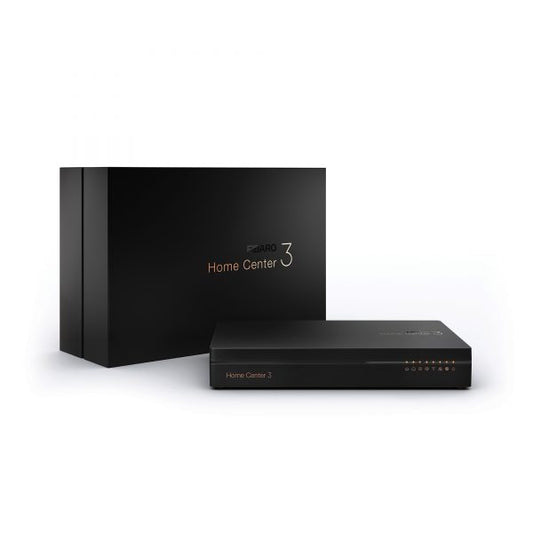
Fibaro Home Center 3 | Z-Wave Hub
<h1 data-pm-slice="1 3 []" data-prosemirror-node-block="true" data-prosemirror-node-name="heading" data-prosemirror-content-type="node" data-local-id="c2cecaf46e9a"><strong>Fibaro Home Center 3 | Z-Wave Hub</strong></h1> <h2 data-prosemirror-node-block="true" data-prosemirror-node-name="heading" data-prosemirror-content-type="node" data-local-id="ba66911bb84c"><strong>Why Fibaro Home Center 3?</strong></h2> <p data-prosemirror-node-block="true" data-prosemirror-node-name="paragraph" data-prosemirror-content-type="node" data-local-id="5cd97874ff5a">A smart home becomes more powerful when all devices and automations are managed from one reliable controller. Fibaro Home Center 3 is the central hub of the FIBARO smart home ecosystem, designed to provide local automation, advanced scene management, and secure control of compatible smart devices. It features a quad-core processor, increased memory, and enhanced range compared to its predecessor, delivering faster and more stable smart home performance.</p> <p data-prosemirror-node-block="true" data-prosemirror-node-name="paragraph" data-prosemirror-content-type="node" data-local-id="7c1c0c657080">Home Center 3 supports advanced automation through block scenes, LUA scripting, schedules, and panels while allowing integration with popular services and voice assistants. The system is designed to continue operating even if the internet connection is unavailable, since core automations run locally.</p> <hr data-prosemirror-node-block="true" data-prosemirror-node-name="rule" data-prosemirror-content-type="node" data-local-id="d5458e5b-320a-4ecb-b6dc-20662c15ddaa"> <h2 data-prosemirror-node-block="true" data-prosemirror-node-name="heading" data-prosemirror-content-type="node" data-local-id="eb234ba9c23d"><strong>KEY TAKEAWAYS</strong></h2> <ul data-prosemirror-node-block="true" data-prosemirror-node-name="bulletList" data-prosemirror-content-type="node" data-local-id="9bad4a8d-594e-4ada-81f6-1220cd95a0a4" class="ak-ul"> <li data-prosemirror-node-block="true" data-prosemirror-node-name="listItem" data-prosemirror-content-type="node" data-local-id="48226c67-fb22-4848-90f5-46ad99a89818"> <p data-prosemirror-node-block="true" data-prosemirror-node-name="paragraph" data-prosemirror-content-type="node" data-local-id="cf35390e3833">Advanced smart home hub with local automation.</p> </li> <li data-prosemirror-node-block="true" data-prosemirror-node-name="listItem" data-prosemirror-content-type="node" data-local-id="cdb63132-b8f6-483b-9d6e-d6a8aa43780f"> <p data-prosemirror-node-block="true" data-prosemirror-node-name="paragraph" data-prosemirror-content-type="node" data-local-id="59054e8370b4">Built around the Z-Wave Plus ecosystem.</p> </li> <li data-prosemirror-node-block="true" data-prosemirror-node-name="listItem" data-prosemirror-content-type="node" data-local-id="dc74a676-8901-4913-aecb-d882ad87055f"> <p data-prosemirror-node-block="true" data-prosemirror-node-name="paragraph" data-prosemirror-content-type="node" data-local-id="a7041dab5f41">Supports block scenes, LUA scripting, and schedules.</p> </li> <li data-prosemirror-node-block="true" data-prosemirror-node-name="listItem" data-prosemirror-content-type="node" data-local-id="82d87a50-8f3c-4f8b-9b59-9fe72b12106c"> <p data-prosemirror-node-block="true" data-prosemirror-node-name="paragraph" data-prosemirror-content-type="node" data-local-id="bad1d9d5942c">Ethernet and dual-band Wi-Fi connectivity.</p> </li> <li data-prosemirror-node-block="true" data-prosemirror-node-name="listItem" data-prosemirror-content-type="node" data-local-id="f87327e9-d960-4afa-bd1b-1e0f42b57033"> <p data-prosemirror-node-block="true" data-prosemirror-node-name="paragraph" data-prosemirror-content-type="node" data-local-id="12709cd5198b">Compatible with popular voice assistants and third-party integrations.</p> </li> <li data-prosemirror-node-block="true" data-prosemirror-node-name="listItem" data-prosemirror-content-type="node" data-local-id="737179d2-7b16-4c15-bf1b-21f8e96439c6"> <p data-prosemirror-node-block="true" data-prosemirror-node-name="paragraph" data-prosemirror-content-type="node" data-local-id="0b39c4ffaf15">Designed for secure and reliable smart home management.</p> </li> </ul> <hr data-prosemirror-node-block="true" data-prosemirror-node-name="rule" data-prosemirror-content-type="node" data-local-id="0d8ba371-51a3-4e4c-b672-d621a6e73e21"> <h2 data-prosemirror-node-block="true" data-prosemirror-node-name="heading" data-prosemirror-content-type="node" data-local-id="1f791d45888a"><strong>TECHNICAL SPECIFICATIONS</strong></h2> <div data-prosemirror-node-block="true" data-prosemirror-node-name="table" data-prosemirror-content-type="node" data-prosemirror-initial-todom-render="true" class="tableView-content-wrap"> <div data-testid="table-alignment-container"> <div class="pm-table-resizer-container"> <div class="resizer-item display-handle"> <div data-testid="table-container" data-layout="default" data-number-column="false" class="pm-table-container"> <div class="pm-table-wrapper"> <table data-ssr-placeholder-replace="table-e8a2cac7-19bf-47f7-a132-1d31d6476786" data-ssr-placeholder="table-e8a2cac7-19bf-47f7-a132-1d31d6476786" data-table-local-id="e8a2cac7-19bf-47f7-a132-1d31d6476786" data-autosize="false" data-layout="default" data-number-column="false"> <colgroup> <col> <col> </colgroup> <tbody> <tr data-prosemirror-node-block="true" data-prosemirror-node-name="tableRow" data-prosemirror-content-type="node" data-local-id="e8861c70-ef67-462b-966c-a088f5c34687"> <th data-prosemirror-node-block="true" data-prosemirror-node-name="tableHeader" data-prosemirror-content-type="node" data-local-id="9bf8f428-c777-4748-830f-77ef656b1536" class="pm-table-header-content-wrap"> <p data-prosemirror-node-block="true" data-prosemirror-node-name="paragraph" data-prosemirror-content-type="node" data-local-id="b995b6ebeeee"><strong>Specification</strong></p> </th> <th data-prosemirror-node-block="true" data-prosemirror-node-name="tableHeader" data-prosemirror-content-type="node" data-local-id="92b1dc37-0242-4c5c-a4bd-98da3f5c425b" class="pm-table-header-content-wrap"> <p data-prosemirror-node-block="true" data-prosemirror-node-name="paragraph" data-prosemirror-content-type="node" data-local-id="128bdb0218e8"><strong>Value</strong></p> </th> </tr> <tr data-prosemirror-node-block="true" data-prosemirror-node-name="tableRow" data-prosemirror-content-type="node" data-local-id="9d63abdb-dc41-43e5-9cf8-db3dc97637c1"> <td data-prosemirror-node-block="true" data-prosemirror-node-name="tableCell" data-prosemirror-content-type="node" data-local-id="56bc2be6-2bed-4c2c-be7c-2e9ecbc54925" class="pm-table-cell-content-wrap"> <p data-prosemirror-node-block="true" data-prosemirror-node-name="paragraph" data-prosemirror-content-type="node" data-local-id="e6b04ba7f861">Product Name</p> </td> <td data-prosemirror-node-block="true" data-prosemirror-node-name="tableCell" data-prosemirror-content-type="node" data-local-id="73e43b88-3841-4bf5-8aed-1d6d3867ddc7" class="pm-table-cell-content-wrap"> <p data-prosemirror-node-block="true" data-prosemirror-node-name="paragraph" data-prosemirror-content-type="node" data-local-id="cade902dbc07">Fibaro Home Center 3</p> </td> </tr> <tr data-prosemirror-node-block="true" data-prosemirror-node-name="tableRow" data-prosemirror-content-type="node" data-local-id="8f65495a-7cbb-45a7-9882-12eb5d115cad"> <td data-prosemirror-node-block="true" data-prosemirror-node-name="tableCell" data-prosemirror-content-type="node" data-local-id="5a58e1a3-11f8-4292-ab5a-0c8cea5e88ad" class="pm-table-cell-content-wrap"> <p data-prosemirror-node-block="true" data-prosemirror-node-name="paragraph" data-prosemirror-content-type="node" data-local-id="f5604d1b4d26">Category</p> </td> <td data-prosemirror-node-block="true" data-prosemirror-node-name="tableCell" data-prosemirror-content-type="node" data-local-id="cedb6e52-8d61-4503-8cc0-df80e7505bab" class="pm-table-cell-content-wrap"> <p data-prosemirror-node-block="true" data-prosemirror-node-name="paragraph" data-prosemirror-content-type="node" data-local-id="67d9727b97f5">Smart Home Hub</p> </td> </tr> <tr data-prosemirror-node-block="true" data-prosemirror-node-name="tableRow" data-prosemirror-content-type="node" data-local-id="497a294a-911d-43b7-b345-f843da240e25"> <td data-prosemirror-node-block="true" data-prosemirror-node-name="tableCell" data-prosemirror-content-type="node" data-local-id="483ec5a0-4c21-47fe-b596-5449367ed1b3" class="pm-table-cell-content-wrap"> <p data-prosemirror-node-block="true" data-prosemirror-node-name="paragraph" data-prosemirror-content-type="node" data-local-id="846213600988">Processor</p> </td> <td data-prosemirror-node-block="true" data-prosemirror-node-name="tableCell" data-prosemirror-content-type="node" data-local-id="60849866-ce7b-4a56-a47f-3b8f140278fe" class="pm-table-cell-content-wrap"> <p data-prosemirror-node-block="true" data-prosemirror-node-name="paragraph" data-prosemirror-content-type="node" data-local-id="becaece81f2a">Quad-core ARM Cortex A53 (1.2 GHz)</p> </td> </tr> <tr data-prosemirror-node-block="true" data-prosemirror-node-name="tableRow" data-prosemirror-content-type="node" data-local-id="c91ffe09-0339-48c4-9a6d-869144d8859e"> <td data-prosemirror-node-block="true" data-prosemirror-node-name="tableCell" data-prosemirror-content-type="node" data-local-id="9079a5ed-1181-45a1-b7de-c5f4c6244e0c" class="pm-table-cell-content-wrap"> <p data-prosemirror-node-block="true" data-prosemirror-node-name="paragraph" data-prosemirror-content-type="node" data-local-id="1ccc11fe63e2">RAM</p> </td> <td data-prosemirror-node-block="true" data-prosemirror-node-name="tableCell" data-prosemirror-content-type="node" data-local-id="f053c2a3-afda-4a45-bc90-40018133f032" class="pm-table-cell-content-wrap"> <p data-prosemirror-node-block="true" data-prosemirror-node-name="paragraph" data-prosemirror-content-type="node" data-local-id="6314ebd32d00">2 GB LPDDR3</p> </td> </tr> <tr data-prosemirror-node-block="true" data-prosemirror-node-name="tableRow" data-prosemirror-content-type="node" data-local-id="fc361e90-7dbc-437a-91cc-e53db1786432"> <td data-prosemirror-node-block="true" data-prosemirror-node-name="tableCell" data-prosemirror-content-type="node" data-local-id="7d80f52d-9bfa-4e77-a3d9-6fe3d7d166d6" class="pm-table-cell-content-wrap"> <p data-prosemirror-node-block="true" data-prosemirror-node-name="paragraph" data-prosemirror-content-type="node" data-local-id="77924e7df6d7">Storage</p> </td> <td data-prosemirror-node-block="true" data-prosemirror-node-name="tableCell" data-prosemirror-content-type="node" data-local-id="ee3c8657-3e92-4aa5-81fc-591bf8fdf8c1" class="pm-table-cell-content-wrap"> <p data-prosemirror-node-block="true" data-prosemirror-node-name="paragraph" data-prosemirror-content-type="node" data-local-id="9ef51c0d68d2">8 GB eMMC</p> </td> </tr> <tr data-prosemirror-node-block="true" data-prosemirror-node-name="tableRow" data-prosemirror-content-type="node" data-local-id="401609fe-a331-4b5c-829e-0f9d92ae2a27"> <td data-prosemirror-node-block="true" data-prosemirror-node-name="tableCell" data-prosemirror-content-type="node" data-local-id="4b52b67e-abb2-4ee1-a170-47de6d5cc88c" class="pm-table-cell-content-wrap"> <p data-prosemirror-node-block="true" data-prosemirror-node-name="paragraph" data-prosemirror-content-type="node" data-local-id="4d38a71129e1">Primary Protocol</p> </td> <td data-prosemirror-node-block="true" data-prosemirror-node-name="tableCell" data-prosemirror-content-type="node" data-local-id="cabe47e7-f7bc-4632-a68a-0121d2606de0" class="pm-table-cell-content-wrap"> <p data-prosemirror-node-block="true" data-prosemirror-node-name="paragraph" data-prosemirror-content-type="node" data-local-id="46a4e0c3c5c4">Z-Wave 500 Series (Z-Wave Plus Version 2)</p> </td> </tr> <tr data-prosemirror-node-block="true" data-prosemirror-node-name="tableRow" data-prosemirror-content-type="node" data-local-id="dfa1a911-b418-4a7f-9923-d9e87e217d26"> <td data-prosemirror-node-block="true" data-prosemirror-node-name="tableCell" data-prosemirror-content-type="node" data-local-id="fe9bf67e-316e-4e1a-98a6-84a566adc8e1" class="pm-table-cell-content-wrap"> <p data-prosemirror-node-block="true" data-prosemirror-node-name="paragraph" data-prosemirror-content-type="node" data-local-id="b5b56da463ea">Network Connectivity</p> </td> <td data-prosemirror-node-block="true" data-prosemirror-node-name="tableCell" data-prosemirror-content-type="node" data-local-id="e3694853-8b0f-4867-84d2-203337543613" class="pm-table-cell-content-wrap"> <p data-prosemirror-node-block="true" data-prosemirror-node-name="paragraph" data-prosemirror-content-type="node" data-local-id="c4bc27c74d81">Ethernet, Wi-Fi 2.4 GHz / 5 GHz</p> </td> </tr> <tr data-prosemirror-node-block="true" data-prosemirror-node-name="tableRow" data-prosemirror-content-type="node" data-local-id="b7538bd9-2ace-4d8c-bc06-78de725d4d13"> <td data-prosemirror-node-block="true" data-prosemirror-node-name="tableCell" data-prosemirror-content-type="node" data-local-id="6a8ac1eb-117a-41d7-a36b-98b236ef1d2a" class="pm-table-cell-content-wrap"> <p data-prosemirror-node-block="true" data-prosemirror-node-name="paragraph" data-prosemirror-content-type="node" data-local-id="b844ff9b8abe">USB</p> </td> <td data-prosemirror-node-block="true" data-prosemirror-node-name="tableCell" data-prosemirror-content-type="node" data-local-id="ccf9e236-081e-44f8-a7b4-e2cdb6589988" class="pm-table-cell-content-wrap"> <p data-prosemirror-node-block="true" data-prosemirror-node-name="paragraph" data-prosemirror-content-type="node" data-local-id="e9f44ea01b7e">1 × USB 2.0</p> </td> </tr> <tr data-prosemirror-node-block="true" data-prosemirror-node-name="tableRow" data-prosemirror-content-type="node" data-local-id="344ebeb4-dcd9-4cc5-ac19-4f94f0f993ad"> <td data-prosemirror-node-block="true" data-prosemirror-node-name="tableCell" data-prosemirror-content-type="node" data-local-id="00547613-48e5-408f-afe0-d514367ebfb6" class="pm-table-cell-content-wrap"> <p data-prosemirror-node-block="true" data-prosemirror-node-name="paragraph" data-prosemirror-content-type="node" data-local-id="1c231adf3bd3">Power Supply</p> </td> <td data-prosemirror-node-block="true" data-prosemirror-node-name="tableCell" data-prosemirror-content-type="node" data-local-id="dd477df7-6ee9-402d-a635-e0b962a3b29d" class="pm-table-cell-content-wrap"> <p data-prosemirror-node-block="true" data-prosemirror-node-name="paragraph" data-prosemirror-content-type="node" data-local-id="e1be7d45cd91">12V DC</p> </td> </tr> <tr data-prosemirror-node-block="true" data-prosemirror-node-name="tableRow" data-prosemirror-content-type="node" data-local-id="0c70f69f-87c1-4dca-8845-273b2a21795a"> <td data-prosemirror-node-block="true" data-prosemirror-node-name="tableCell" data-prosemirror-content-type="node" data-local-id="36b7c33f-7bbd-4a45-82a3-daaa461b5a4c" class="pm-table-cell-content-wrap"> <p data-prosemirror-node-block="true" data-prosemirror-node-name="paragraph" data-prosemirror-content-type="node" data-local-id="00a9d1d5f3c9">Dimensions</p> </td> <td data-prosemirror-node-block="true" data-prosemirror-node-name="tableCell" data-prosemirror-content-type="node" data-local-id="8a4e35c9-57b1-4014-83e7-3df6253b0c0e" class="pm-table-cell-content-wrap"> <p data-prosemirror-node-block="true" data-prosemirror-node-name="paragraph" data-prosemirror-content-type="node" data-local-id="20d97e61bd25">220 × 140 × 35 mm</p> </td> </tr> <tr data-prosemirror-node-block="true" data-prosemirror-node-name="tableRow" data-prosemirror-content-type="node" data-local-id="71f1fd6d-5641-489d-9d8e-06a6ea6d2439"> <td data-prosemirror-node-block="true" data-prosemirror-node-name="tableCell" data-prosemirror-content-type="node" data-local-id="4745fa4b-2874-4dba-8a6d-67c0587fb29f" class="pm-table-cell-content-wrap"> <p data-prosemirror-node-block="true" data-prosemirror-node-name="paragraph" data-prosemirror-content-type="node" data-local-id="479b4f82246e">Operating Temperature</p> </td> <td data-prosemirror-node-block="true" data-prosemirror-node-name="tableCell" data-prosemirror-content-type="node" data-local-id="71ed8a71-7cf4-4f42-b30e-aa4e1a46b4c3" class="pm-table-cell-content-wrap"> <p data-prosemirror-node-block="true" data-prosemirror-node-name="paragraph" data-prosemirror-content-type="node" data-local-id="0782fdc06678">0°C–40°C</p> </td> </tr> </tbody> </table> </div> <div data-testid="sticky-sentinel-bottom" class="pm-table-sticky-sentinel-bottom"><br></div> </div> </div> </div> </div> </div> <p data-prosemirror-node-block="true" data-prosemirror-node-name="paragraph" data-prosemirror-content-type="node" data-local-id="0b646799bc9d"> </p> <hr data-prosemirror-node-block="true" data-prosemirror-node-name="rule" data-prosemirror-content-type="node" data-local-id="559684e2-0bb0-45f9-80bf-edb3665c0ceb"> <h2 data-prosemirror-node-block="true" data-prosemirror-node-name="heading" data-prosemirror-content-type="node" data-local-id="10e001f6c9cc"><strong>COMPATIBILITY</strong></h2> <p data-prosemirror-node-block="true" data-prosemirror-node-name="paragraph" data-prosemirror-content-type="node" data-local-id="c2dd3262f1a7">Fibaro Home Center 3 works with:</p> <ul data-prosemirror-node-block="true" data-prosemirror-node-name="bulletList" data-prosemirror-content-type="node" data-local-id="e212bc37-bbfe-4b8d-92d3-6199c2b405cd" class="ak-ul"> <li data-prosemirror-node-block="true" data-prosemirror-node-name="listItem" data-prosemirror-content-type="node" data-local-id="cfd4f919-06a3-4db3-a6f2-b88291e370b6"> <p data-prosemirror-node-block="true" data-prosemirror-node-name="paragraph" data-prosemirror-content-type="node" data-local-id="6a85bc6ec483">Z-Wave devices</p> </li> <li data-prosemirror-node-block="true" data-prosemirror-node-name="listItem" data-prosemirror-content-type="node" data-local-id="68f9a8f3-cbd7-42c4-8a1c-d60132e63510"> <p data-prosemirror-node-block="true" data-prosemirror-node-name="paragraph" data-prosemirror-content-type="node" data-local-id="470bf7eea45c">FIBARO smart home devices</p> </li> <li data-prosemirror-node-block="true" data-prosemirror-node-name="listItem" data-prosemirror-content-type="node" data-local-id="792fb76d-f726-4e3d-bae5-72366159ad67"> <p data-prosemirror-node-block="true" data-prosemirror-node-name="paragraph" data-prosemirror-content-type="node" data-local-id="55ad0e164a5d">Google Assistant</p> </li> <li data-prosemirror-node-block="true" data-prosemirror-node-name="listItem" data-prosemirror-content-type="node" data-local-id="f2a26266-dc4a-4a8d-bb50-a9f3726c40ee"> <p data-prosemirror-node-block="true" data-prosemirror-node-name="paragraph" data-prosemirror-content-type="node" data-local-id="05317a76fd17">Amazon Alexa</p> </li> <li data-prosemirror-node-block="true" data-prosemirror-node-name="listItem" data-prosemirror-content-type="node" data-local-id="750a1bc1-6bc4-4ac9-ab8e-82756e3316dd"> <p data-prosemirror-node-block="true" data-prosemirror-node-name="paragraph" data-prosemirror-content-type="node" data-local-id="e7c0e91067bc">Apple Siri Shortcuts</p> </li> <li data-prosemirror-node-block="true" data-prosemirror-node-name="listItem" data-prosemirror-content-type="node" data-local-id="a89caaab-96ef-4f58-9895-2ae3f9917686"> <p data-prosemirror-node-block="true" data-prosemirror-node-name="paragraph" data-prosemirror-content-type="node" data-local-id="c99616456faf">Philips Hue integrations</p> </li> <li data-prosemirror-node-block="true" data-prosemirror-node-name="listItem" data-prosemirror-content-type="node" data-local-id="cd28c990-f8aa-477b-8025-9b1c75c6fc08"> <p data-prosemirror-node-block="true" data-prosemirror-node-name="paragraph" data-prosemirror-content-type="node" data-local-id="25645c51a613">Sonos integrations</p> </li> <li data-prosemirror-node-block="true" data-prosemirror-node-name="listItem" data-prosemirror-content-type="node" data-local-id="4abede45-877d-4f68-849e-d26d7b779d91"> <p data-prosemirror-node-block="true" data-prosemirror-node-name="paragraph" data-prosemirror-content-type="node" data-local-id="6e4ed6f8e02f">SmartThings integrations</p> </li> <li data-prosemirror-node-block="true" data-prosemirror-node-name="listItem" data-prosemirror-content-type="node" data-local-id="2c801530-2b9e-4af9-9e5a-ed535bbd1b8f"> <p data-prosemirror-node-block="true" data-prosemirror-node-name="paragraph" data-prosemirror-content-type="node" data-local-id="daebc0077944">Home automation scenes and schedules</p> </li> </ul> <p data-prosemirror-node-block="true" data-prosemirror-node-name="paragraph" data-prosemirror-content-type="node" data-local-id="3551ee1ae513"> </p> <hr data-prosemirror-node-block="true" data-prosemirror-node-name="rule" data-prosemirror-content-type="node" data-local-id="8ae2ce57-91f9-4324-9479-8d65a8229e50"> <h2 data-prosemirror-node-block="true" data-prosemirror-node-name="heading" data-prosemirror-content-type="node" data-local-id="43933c8515ba"><strong>TROUBLESHOOTING TABLE</strong></h2> <div data-prosemirror-node-block="true" data-prosemirror-node-name="table" data-prosemirror-content-type="node" data-prosemirror-initial-todom-render="true" class="tableView-content-wrap"> <div data-testid="table-alignment-container"> <div class="pm-table-resizer-container"> <div class="resizer-item display-handle"> <div data-testid="table-container" data-layout="default" data-number-column="false" class="pm-table-container"> <div class="pm-table-wrapper"> <table data-ssr-placeholder-replace="table-672fdc31-e3fd-4427-b9b6-943517e42098" data-ssr-placeholder="table-672fdc31-e3fd-4427-b9b6-943517e42098" data-table-local-id="672fdc31-e3fd-4427-b9b6-943517e42098" data-autosize="false" data-layout="default" data-number-column="false"> <colgroup> <col> <col> <col> </colgroup> <tbody> <tr data-prosemirror-node-block="true" data-prosemirror-node-name="tableRow" data-prosemirror-content-type="node" data-local-id="37144546-7cd9-405f-8d3e-a654357b82c2"> <th data-prosemirror-node-block="true" data-prosemirror-node-name="tableHeader" data-prosemirror-content-type="node" data-local-id="1a19354c-54bb-42b0-b4aa-652e19501c88" class="pm-table-header-content-wrap"> <p data-prosemirror-node-block="true" data-prosemirror-node-name="paragraph" data-prosemirror-content-type="node" data-local-id="884ee629259b"><strong>Problem</strong></p> </th> <th data-prosemirror-node-block="true" data-prosemirror-node-name="tableHeader" data-prosemirror-content-type="node" data-local-id="5c5861d7-b38d-4f49-a26d-58c15ad11c3c" class="pm-table-header-content-wrap"> <p data-prosemirror-node-block="true" data-prosemirror-node-name="paragraph" data-prosemirror-content-type="node" data-local-id="b1ba45eba8f9"><strong>Cause</strong></p> </th> <th data-prosemirror-node-block="true" data-prosemirror-node-name="tableHeader" data-prosemirror-content-type="node" data-local-id="4737fdbe-c8c0-4be0-9253-c4f3304d09be" class="pm-table-header-content-wrap"> <p data-prosemirror-node-block="true" data-prosemirror-node-name="paragraph" data-prosemirror-content-type="node" data-local-id="b954a8ca0e31"><strong>Fix</strong></p> </th> </tr> <tr data-prosemirror-node-block="true" data-prosemirror-node-name="tableRow" data-prosemirror-content-type="node" data-local-id="be430a8b-e653-4816-98ef-47310fcc6719"> <td data-prosemirror-node-block="true" data-prosemirror-node-name="tableCell" data-prosemirror-content-type="node" data-local-id="49c4e239-9eb7-4623-9c76-d5f0f87010b1" class="pm-table-cell-content-wrap"> <p data-prosemirror-node-block="true" data-prosemirror-node-name="paragraph" data-prosemirror-content-type="node" data-local-id="dde41b87a612">Hub not accessible</p> </td> <td data-prosemirror-node-block="true" data-prosemirror-node-name="tableCell" data-prosemirror-content-type="node" data-local-id="ce8eb4b6-87b2-4879-9d82-82db0add4236" class="pm-table-cell-content-wrap"> <p data-prosemirror-node-block="true" data-prosemirror-node-name="paragraph" data-prosemirror-content-type="node" data-local-id="d4ffbec43e1d">Network configuration issue</p> </td> <td data-prosemirror-node-block="true" data-prosemirror-node-name="tableCell" data-prosemirror-content-type="node" data-local-id="fb422e97-d336-4237-ab0a-43472edf33b4" class="pm-table-cell-content-wrap"> <p data-prosemirror-node-block="true" data-prosemirror-node-name="paragraph" data-prosemirror-content-type="node" data-local-id="3b2344182f44">Verify Ethernet or Wi-Fi connection</p> </td> </tr> <tr data-prosemirror-node-block="true" data-prosemirror-node-name="tableRow" data-prosemirror-content-type="node" data-local-id="95cfd611-1324-4e35-bd32-b4db067661db"> <td data-prosemirror-node-block="true" data-prosemirror-node-name="tableCell" data-prosemirror-content-type="node" data-local-id="c94ab55c-7e2f-4410-9518-b5c9b1b95da6" class="pm-table-cell-content-wrap"> <p data-prosemirror-node-block="true" data-prosemirror-node-name="paragraph" data-prosemirror-content-type="node" data-local-id="0aebdfad0acc">Device not pairing</p> </td> <td data-prosemirror-node-block="true" data-prosemirror-node-name="tableCell" data-prosemirror-content-type="node" data-local-id="e198d2ff-2a3c-489b-b036-b766e152aa1e" class="pm-table-cell-content-wrap"> <p data-prosemirror-node-block="true" data-prosemirror-node-name="paragraph" data-prosemirror-content-type="node" data-local-id="3adbb14fa2bd">Z-Wave inclusion mode inactive</p> </td> <td data-prosemirror-node-block="true" data-prosemirror-node-name="tableCell" data-prosemirror-content-type="node" data-local-id="2e148705-8fe2-40b2-9299-f133114a9a13" class="pm-table-cell-content-wrap"> <p data-prosemirror-node-block="true" data-prosemirror-node-name="paragraph" data-prosemirror-content-type="node" data-local-id="e9e2c587aae0">Enable inclusion mode and retry pairing</p> </td> </tr> <tr data-prosemirror-node-block="true" data-prosemirror-node-name="tableRow" data-prosemirror-content-type="node" data-local-id="2d8fb79e-230e-4209-a801-c0dfe5119d8f"> <td data-prosemirror-node-block="true" data-prosemirror-node-name="tableCell" data-prosemirror-content-type="node" data-local-id="4d5d659b-f789-429a-a8f7-d2b31ccecd91" class="pm-table-cell-content-wrap"> <p data-prosemirror-node-block="true" data-prosemirror-node-name="paragraph" data-prosemirror-content-type="node" data-local-id="72bf38c5eed1">Automation not running</p> </td> <td data-prosemirror-node-block="true" data-prosemirror-node-name="tableCell" data-prosemirror-content-type="node" data-local-id="1c54616a-9f5f-45fe-ac42-2cab5c132d1d" class="pm-table-cell-content-wrap"> <p data-prosemirror-node-block="true" data-prosemirror-node-name="paragraph" data-prosemirror-content-type="node" data-local-id="976793f6c41a">Scene configuration issue</p> </td> <td data-prosemirror-node-block="true" data-prosemirror-node-name="tableCell" data-prosemirror-content-type="node" data-local-id="35892761-4dea-4cbe-a1f7-14be40ba53e1" class="pm-table-cell-content-wrap"> <p data-prosemirror-node-block="true" data-prosemirror-node-name="paragraph" data-prosemirror-content-type="node" data-local-id="2561f5b923ad">Review and save automation settings</p> </td> </tr> <tr data-prosemirror-node-block="true" data-prosemirror-node-name="tableRow" data-prosemirror-content-type="node" data-local-id="bf8940ed-dcb2-43c5-a872-ba7f0de320f1"> <td data-prosemirror-node-block="true" data-prosemirror-node-name="tableCell" data-prosemirror-content-type="node" data-local-id="961b84fb-ca74-4b01-b20e-71644f2501d3" class="pm-table-cell-content-wrap"> <p data-prosemirror-node-block="true" data-prosemirror-node-name="paragraph" data-prosemirror-content-type="node" data-local-id="1afd56619ddf">Remote access unavailable</p> </td> <td data-prosemirror-node-block="true" data-prosemirror-node-name="tableCell" data-prosemirror-content-type="node" data-local-id="e19ae8d0-ef9d-46dc-b1a3-45b14d112511" class="pm-table-cell-content-wrap"> <p data-prosemirror-node-block="true" data-prosemirror-node-name="paragraph" data-prosemirror-content-type="node" data-local-id="d759a7946340">Internet or account issue</p> </td> <td data-prosemirror-node-block="true" data-prosemirror-node-name="tableCell" data-prosemirror-content-type="node" data-local-id="dad5464f-c939-4e4c-b180-cfeb3ca10e3f" class="pm-table-cell-content-wrap"> <p data-prosemirror-node-block="true" data-prosemirror-node-name="paragraph" data-prosemirror-content-type="node" data-local-id="52022e402a22">Verify FIBARO account and network connection</p> </td> </tr> </tbody> </table> </div> <div data-testid="sticky-sentinel-bottom" class="pm-table-sticky-sentinel-bottom"><br></div> </div> </div> </div> </div> </div> <hr data-prosemirror-node-block="true" data-prosemirror-node-name="rule" data-prosemirror-content-type="node" data-local-id="e247dec7-06bc-4e63-9ee4-6bbf3db7146c"> <h2 data-prosemirror-node-block="true" data-prosemirror-node-name="heading" data-prosemirror-content-type="node" data-local-id="f6f3bb2a0e7f"><strong>Q&A / FAQ SECTION</strong></h2> <h3 data-prosemirror-node-block="true" data-prosemirror-node-name="heading" data-prosemirror-content-type="node" data-local-id="9161a817937a"><strong>What is Fibaro Home Center 3?</strong></h3> <p data-prosemirror-node-block="true" data-prosemirror-node-name="paragraph" data-prosemirror-content-type="node" data-local-id="cde8c05099e6">Fibaro Home Center 3 is an advanced smart home hub that centrally manages compatible Z-Wave devices and automations through the FIBARO ecosystem.</p> <h3 data-prosemirror-node-block="true" data-prosemirror-node-name="heading" data-prosemirror-content-type="node" data-local-id="6f296ab596fd"><strong>Who should buy Fibaro Home Center 3?</strong></h3> <p data-prosemirror-node-block="true" data-prosemirror-node-name="paragraph" data-prosemirror-content-type="node" data-local-id="b3dafda21052">Fibaro Home Center 3 is designed for homeowners and smart home enthusiasts who want powerful local automation, advanced scene creation, and centralized management of compatible devices.</p> <h3 data-prosemirror-node-block="true" data-prosemirror-node-name="heading" data-prosemirror-content-type="node" data-local-id="1251f621fbd7"><strong>How does Fibaro Home Center 3 work?</strong></h3> <p data-prosemirror-node-block="true" data-prosemirror-node-name="paragraph" data-prosemirror-content-type="node" data-local-id="db68c08a220c">It connects compatible smart devices through its automation platform and executes scenes, schedules, and rules locally while allowing management through web and mobile applications.</p> <h3 data-prosemirror-node-block="true" data-prosemirror-node-name="heading" data-prosemirror-content-type="node" data-local-id="a0ce1f050951"><strong>What's included with Fibaro Home Center 3?</strong></h3> <p data-prosemirror-node-block="true" data-prosemirror-node-name="paragraph" data-prosemirror-content-type="node" data-local-id="7fe045f8ee4a">Fibaro Home Center 3 includes the hub, power adapter, and setup documentation.</p> <h3 data-prosemirror-node-block="true" data-prosemirror-node-name="heading" data-prosemirror-content-type="node" data-local-id="7572712c8d33"><strong>What are the Fibaro Home Center 3 specifications?</strong></h3> <p data-prosemirror-node-block="true" data-prosemirror-node-name="paragraph" data-prosemirror-content-type="node" data-local-id="d449099ffd0d">Fibaro Home Center 3 features a quad-core ARM Cortex A53 processor, 2 GB RAM, 8 GB storage, Z-Wave Plus support, Ethernet and dual-band Wi-Fi connectivity, and dimensions of 220 × 140 × 35 mm.</p> <hr data-prosemirror-node-block="true" data-prosemirror-node-name="rule" data-prosemirror-content-type="node" data-local-id="0de24c19-61a2-475a-89ff-d7cca27a8dee"> <h2 data-prosemirror-node-block="true" data-prosemirror-node-name="heading" data-prosemirror-content-type="node" data-local-id="d3e8cabc6135"><strong>Why Buy Fibaro Home Center 3?</strong></h2> <ul data-prosemirror-node-block="true" data-prosemirror-node-name="bulletList" data-prosemirror-content-type="node" data-local-id="2da0bd9e-d69b-47d9-8318-79dd16bab738" class="ak-ul"> <li data-prosemirror-node-block="true" data-prosemirror-node-name="listItem" data-prosemirror-content-type="node" data-local-id="6dee5598-9927-4d1f-8750-130989d7f847"> <p data-prosemirror-node-block="true" data-prosemirror-node-name="paragraph" data-prosemirror-content-type="node" data-local-id="2f54aa8022de">Centralized smart home management.</p> </li> <li data-prosemirror-node-block="true" data-prosemirror-node-name="listItem" data-prosemirror-content-type="node" data-local-id="b8b0124d-1296-4e50-ba5f-bc63b1516662"> <p data-prosemirror-node-block="true" data-prosemirror-node-name="paragraph" data-prosemirror-content-type="node" data-local-id="33e7c620d73a">Powerful local automation engine.</p> </li> <li data-prosemirror-node-block="true" data-prosemirror-node-name="listItem" data-prosemirror-content-type="node" data-local-id="70588ee8-bdb4-4810-ba62-748a7b2912ea"> <p data-prosemirror-node-block="true" data-prosemirror-node-name="paragraph" data-prosemirror-content-type="node" data-local-id="da8f8075b03a">Supports advanced LUA scripting and scenes.</p> </li> <li data-prosemirror-node-block="true" data-prosemirror-node-name="listItem" data-prosemirror-content-type="node" data-local-id="9065dc6d-53c3-4893-9bfa-104c681d2b87"> <p data-prosemirror-node-block="true" data-prosemirror-node-name="paragraph" data-prosemirror-content-type="node" data-local-id="1423cb01d367">Reliable Z-Wave Plus connectivity.</p> </li> <li data-prosemirror-node-block="true" data-prosemirror-node-name="listItem" data-prosemirror-content-type="node" data-local-id="977af628-c0c9-4a24-9088-e856d19941b1"> <p data-prosemirror-node-block="true" data-prosemirror-node-name="paragraph" data-prosemirror-content-type="node" data-local-id="f614d7ebaa2b">Secure architecture with encrypted communication.</p> </li> <li data-prosemirror-node-block="true" data-prosemirror-node-name="listItem" data-prosemirror-content-type="node" data-local-id="b948bb05-fb2d-49af-8384-cdccc9b9646a"> <p data-prosemirror-node-block="true" data-prosemirror-node-name="paragraph" data-prosemirror-content-type="node" data-local-id="3eeb9f38a812">Compatible with major voice assistants and smart home integrations.</p> </li> </ul>
Fibaro Home Center 3 | Z-Wave Hub
Regular price $760.95 USDRegular priceUnit price per
